


[REAPDOCK-Python-] -061- [Transcription] Transcription results recorded in Excel
All postsREAPDOCK👇
[Transcription] Transcription results recorded in Excel
[PYTHON]REAPDOCK/APIDOCK documentation updated
The task is to " [Transcription] Transcription results recorded in Excel "
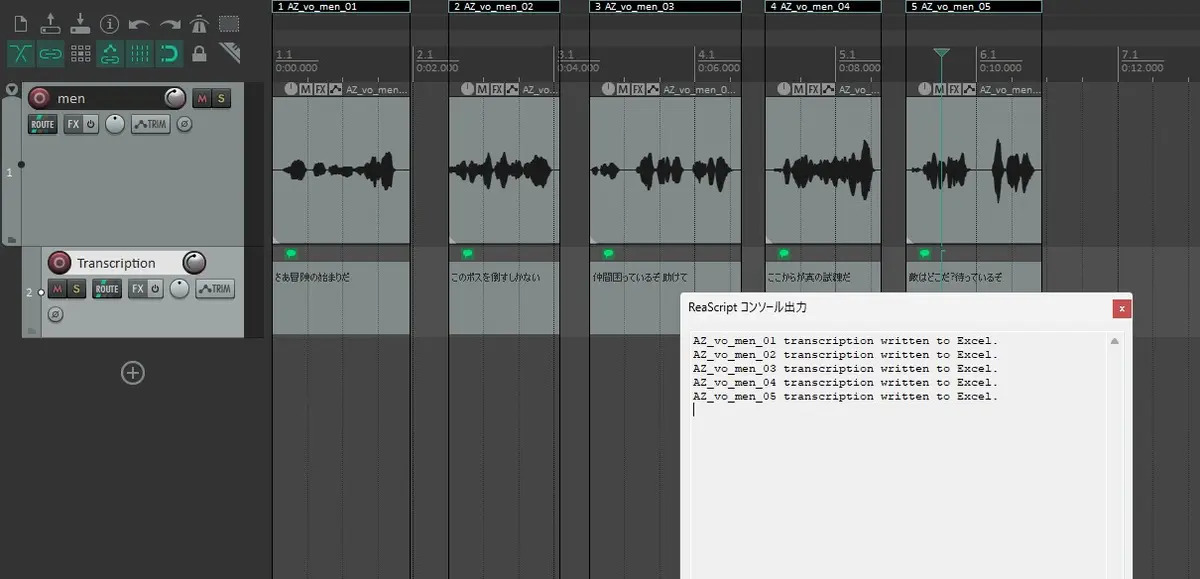
Following on from last time, I will introduce a script that uses the transcription function implemented in
SILVER-1.4.0, which was released on March 13th.
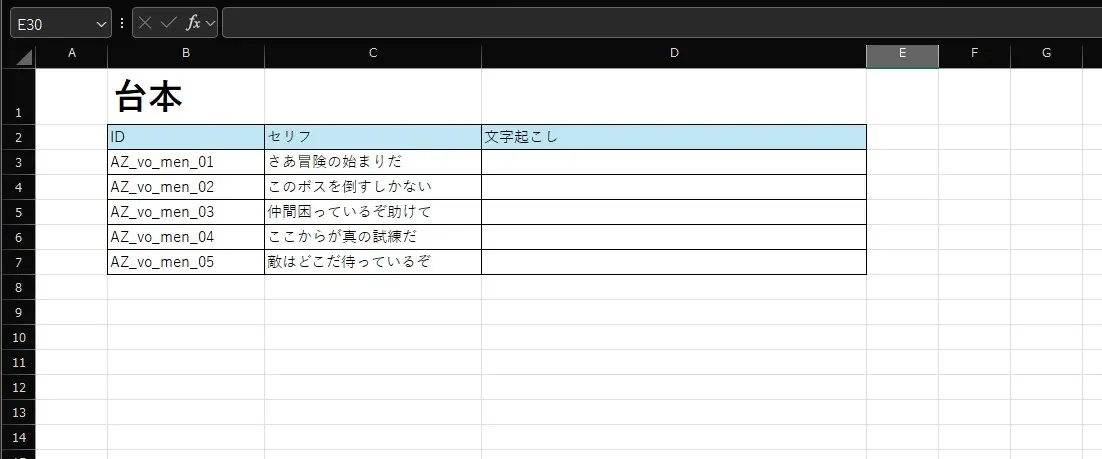
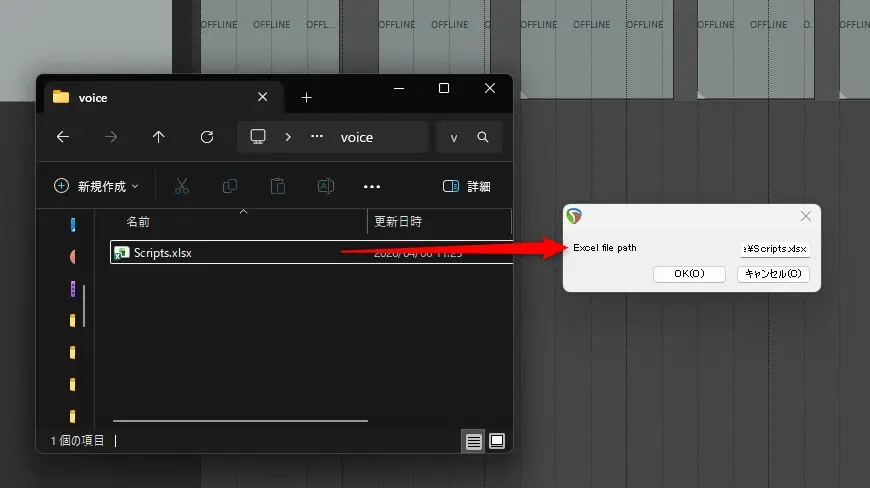
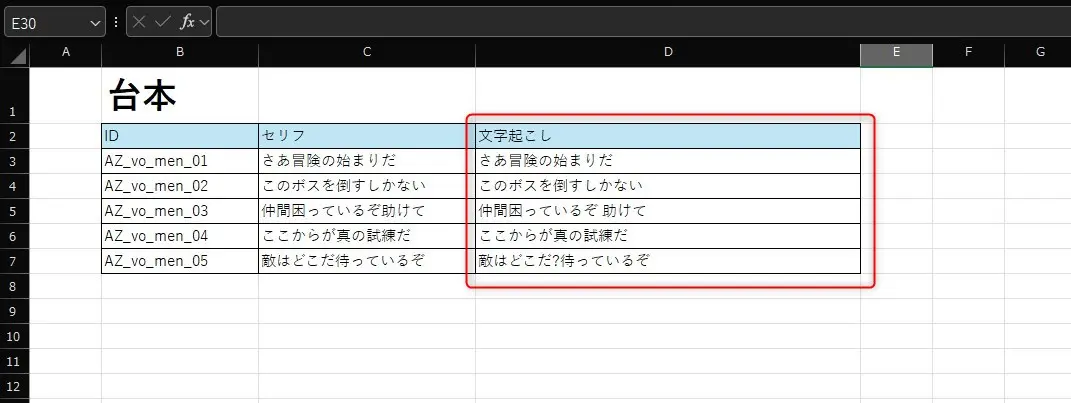
Last time, I wrote the transcribed results to a Reaper project; this time, I've added a process to write them to an Excel file I prepared as a script.
This script allows you to compare the recorded voice content with the script for verification.
Please give it a try.
For more details about the transcription feature, please see here:
Explanation of the transcription function
◆Required Plan
- RIGDOCKS -BRONZE-
- RIGDOCKS -SILVER-
- RIGDOCKS -GOLD-
□For detailed documentation on how to generate ReaScript, see below 👇
" [Transcription] Transcription results recorded in Excel "
Make your work more efficient with SILVER's API !
Next time, we'll release a Lua version of ReApdock.
4/22
LINK
For those who are new to Reaper or considering subscribing to a plan.
The Complete Reaper Guide - From Reaper Installation to Reascript Creation -
Reaper Complete Guide Ver.2 - Numerous Useful Settings You Should Know -
See below for the [REAPDOCK]Script documentation.
[ REAPDOCK Table of Contents Page ]
For a list of APIs used in [APIDOCK]Script, please refer to the following table of contents page.
[ APIDOCK-API-Table of Contents Page ]
REAPDOCK List
- [REAPDOCK-Python-] -060- [Transcription] Record the transcription results in the memo item
- [REAPDOCK-Python-] -059- [Excel] A collection of scripts for recording processes - Management- Exporting exported media information to Excel
- [REAPDOCK-Python-] -058- [Render] A collection of scripts for recording processes - Export- Naming media and outputting to separate folders
- [REAPDOCK-Python-] -057- [Media] A collection of scripts for recording by process - Organizing - Dividing recorded takes into OK and NG
- [REAPDOCK-Python-] -056- [Track] A collection of scripts for recording steps - Preparation- Prepare a recording track for each microphone
- [REAPDOCK-Python-] -055- [Excel] Record audio files managed by Perforce into Excel and check if they are implemented in Wwise ③
- [REAPDOCK-Python-] -054- [Excel] Recording audio files managed in Perforce into Excel and checking whether they are implemented in Wwise②
- [REAPDOCK-Python-] -053- [Excel] Recording audio files managed by Perforce into Excel and checking whether they are implemented in Wwise①
- [REAPDOCK-Python-] -052- [Excel] Setting up audio files managed in Perforce based on an Excel spreadsheet and automatically implementing them in Wwise③
- [REAPDOCK-Python-] -051- [Excel] Setting up audio files managed in Perforce based on an Excel spreadsheet and automatically implementing them in Wwise②
- [REAPDOCK-Python-] -050- [Excel] Setting up audio files managed in Perforce based on an Excel spreadsheet and automatically implementing them in Wwise①
Past blog posts can be found here.
- [CEDEC+KYUSHU2024] Successfully automated the process from voice rough editing to Wwise implementation
- [LOUDMATCHFY] Part 2: Running Name Detection Loudness
- [LOUDMATCHIFY] Part 1 : Creating Save Data - Patented Technology 003 -
- [HANDAUTOMER] Part 2 : From importing to loudness adjustment! Volume adjustment without a compressor -
- [HANDAUTOMER] Part 1 : Run HANDAUTOMER on selected media and automatically set to Momentary-21LUFS -
- [TEXT] Save data construction
- [AUTO] Speeding up audio editing - Automatic media insertion -
- [AUTO] Essential for MA production : Session organization automationPart 3
- [AUTO] Essential for MA production : Session organization automation Part 2
- [AUTO] Essential for MA production : Session organization automation Part 1
- [MEDIA] Essential for MA production -Delete all muted media -
- [MEDIA] SE production required! ! -Free Pitch operation -
- [MEIDA] Essential for MA production -Delete all muted media -
- [FOLEY] Foley recording is essential!! -Multiple video copies during recording -
- [MEDIA] "Sound Design" Essential-Fade Automation -
- [MEDIA] Speed up sound designer! ReaScript for freely adjusting playback speed!!
- [MEDIA] Essential for volume adjustment! ReaScript for freely changing the volume!!
- [MEDIA] Essential for MA production : ReaScript to get frame count in 2 seconds!!
- [REC] Essential for recording! : Add “ng” to the selected waveform name
- [MEDIA] Sort all media in ascending OLDER
- [MEDIA] Automatically change all selected media to MONO