


[REAPDOCK-Python-] -012- Essential for MA production!! - Session organization automation 2 -
All postsREAPDOCK👇
Mute and delete unused tracks from the beginning of selected tracks

[ PYTHON ] REAPDOCK/APIDOCK document update notification
This is Nakajima from AZSTOKE Co., Ltd.
notice
I am very sorry.
We had planned to release the SILVER API in April, but it is taking longer than expected because we are working on making the SILVER extension more persuasive as we move forward with improvements to BRONZE. We plan to release SILVER in May, so we would appreciate your patience.
Thank you for your cooperation.
Today is the weekly document update Wednesday (Python). This time's topic is a ReaScript called " Delete muted and unused tracks starting from selected tracks " .
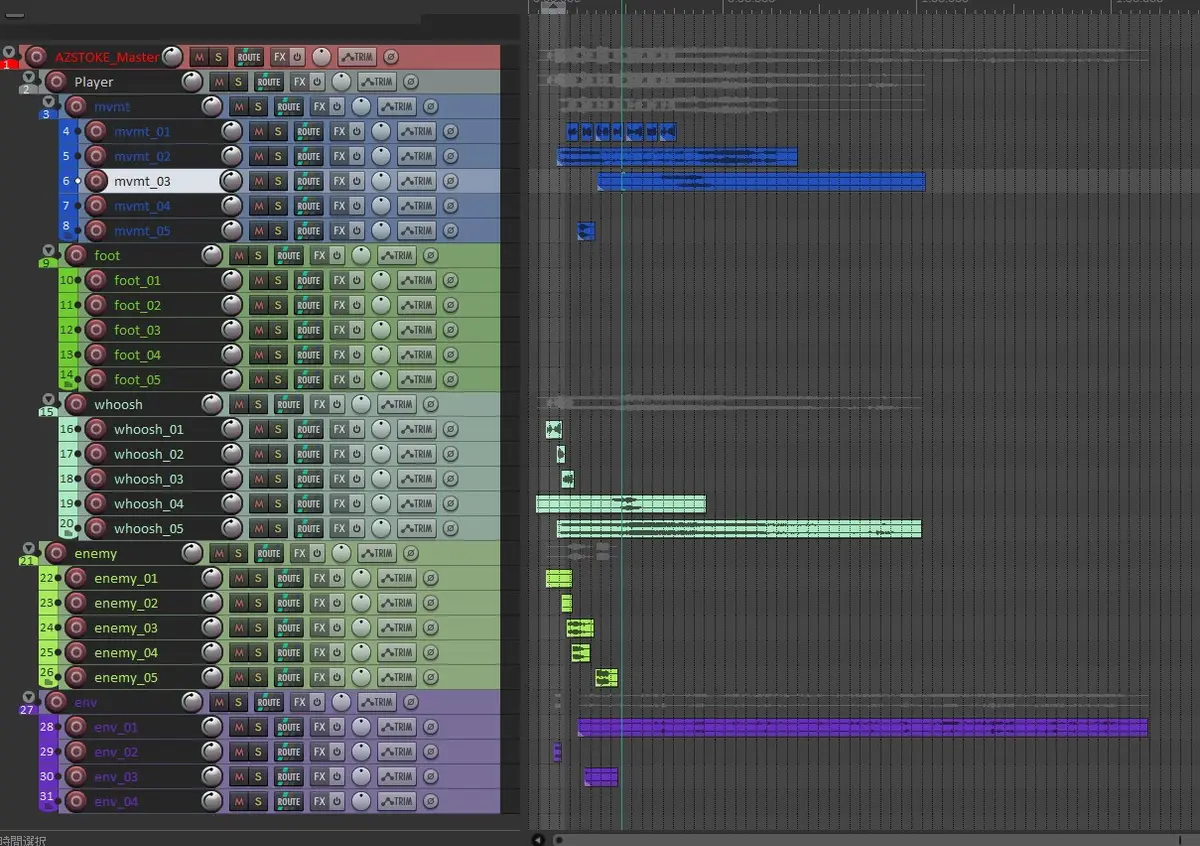
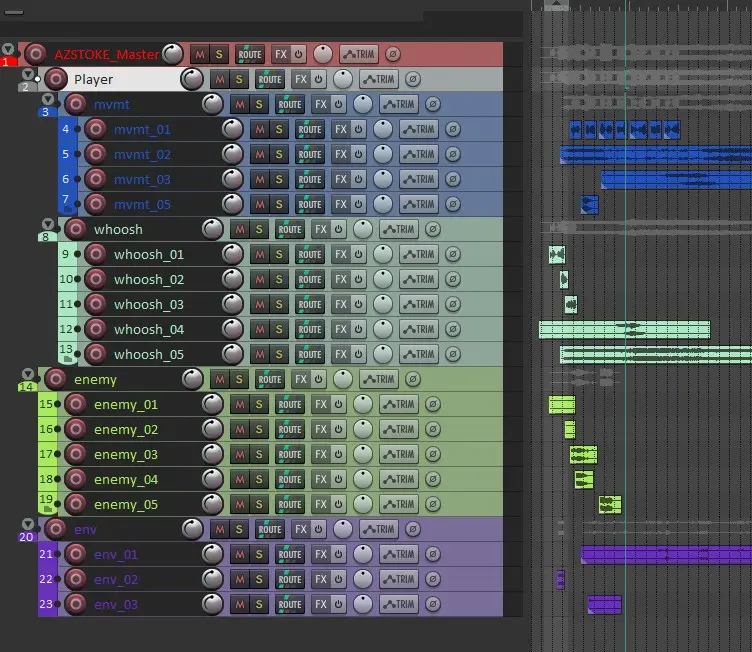

To let you know what SILVER's API can do
We have begun releasing the contents of Reapdock in advance.
*SILVER is scheduled to be released in May.
This reference ReaScript is Part 2 of the session organization, which automatically sets sequential names and colors for the children of the previously selected tracks .
Deleting unused media/tracks is a pain
It's possible to accidentally delete a track that has media in it.
Human error is the biggest enemy.
If you're working with a team, you may need to share sessions or submit sessions, and you don't need muted media or empty tracks to keep things organized.
When you want to show someone, just run this script and it will delete all muted media and unused tracks. We will release a very useful ReaScript that will instantly help you organize your work. We are actually using it on-site, and it has reduced the amount of work our staff do.
□For detailed documentation on how to generate ReaScript, see 👇
Delete Mute and Unused Tracks Starting with Selected Tracks
By using BRONZE's API , you can achieve this with just a few lines of code!
Next time: 5/6 Reapdock Lua version released
LINK
New to Reaper/those considering subscribing to a plan
Complete Guide to Reaper - From Installing Reaper to Creating Reascript -
[REAPDOCK]Script documentation can be found here:
[ REAPDOCK-Lua-Table of Contents Page ]
[ REAPDOCK-Python-Table of Contents Page ]
[APIDOCK] Please refer to the following table of contents for the APIs used in the script.
[ APIDOCK-API-Lua table of contents page ]
[ APIDOCK-API-Python Table of Contents Page ]
REAPDOCK List
- [-Python-]-001-Automatically change all selected media to mono
- [-Python-]-002-Sort all media in ascending order
- [-Python-] -003- Essential for recording! ReaScript that does a 10 minute job in 2 seconds!!
- [-Python-] -004- Essential for MA! ReaScript to get frame count in 2 seconds!!
- [-Python-]-005-A must-have for volume adjustment! ReaScript for freely changing the volume!!
- [-Python-]-006-Speed up sound designer! ReaScript for freely adjusting playback speed!!
- [-Python-]-007-"Sound Design" Essential-Fade Automation-ReaScript!!
- [-Python-]-008-Foley recording is essential!!-Multiple video copies during recording-ReaScript!!
- [-Python-] -009-MA production required!! -Delete all muted media-ReaScript!!
- [-Python-]-010-SE production required! ! -Free pitch operation-ReaScript!
- [-Python-] -011- Essential for MA production!! - Session organization automation -