


[REAPDOCK-Python-] -058- [Render] A collection of scripts for recording processes - Export- Naming media and outputting to separate folders
All postsREAPDOCK👇
[PYTHON]REAPDOCK/APIDOCK documentation update
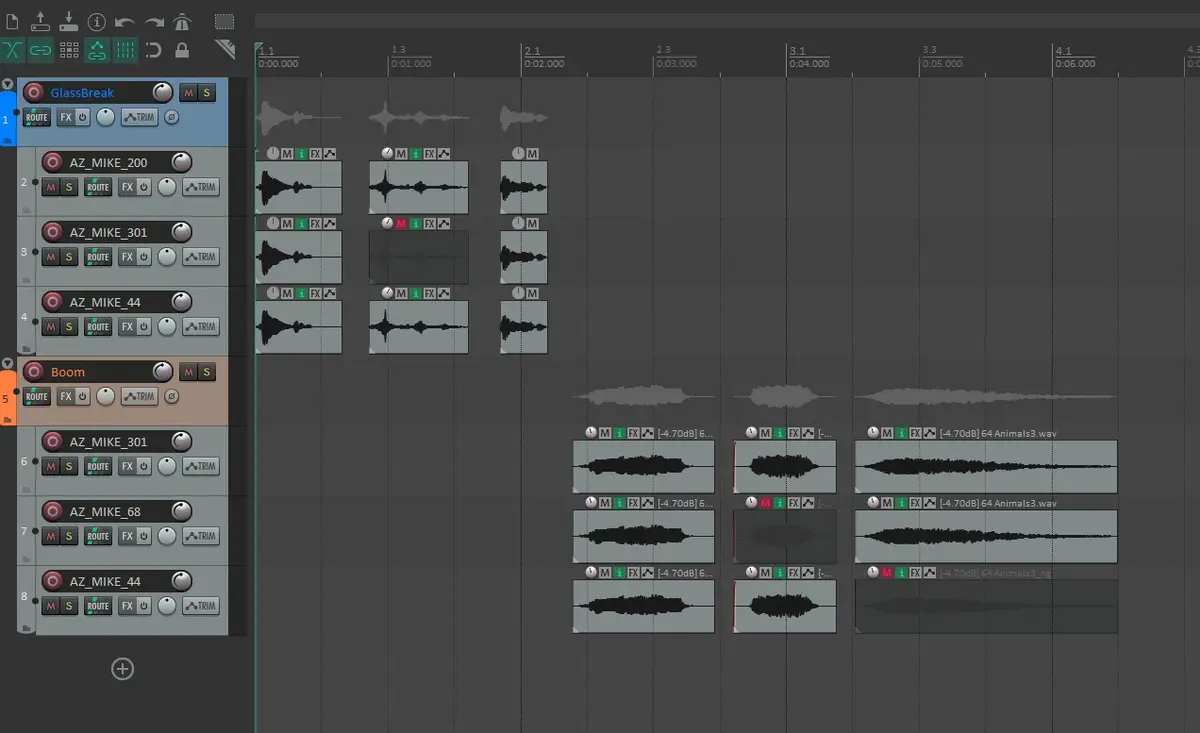
Continuing from last time, we will introduce scripts that will make recording easier.
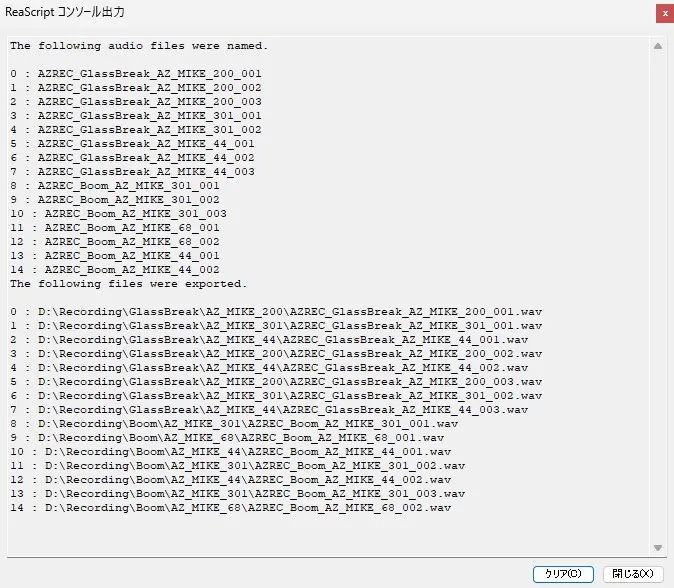
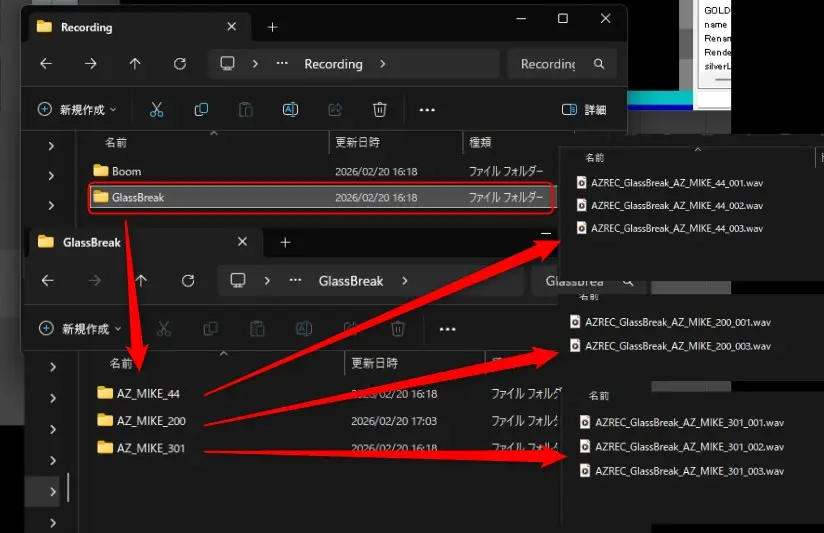
This script renames and saves the recorded takes as files according to a specific naming convention.
It retrieves information about the recording content and microphones from the track we prepared two sessions ago, and combines this data to generate the filenames.
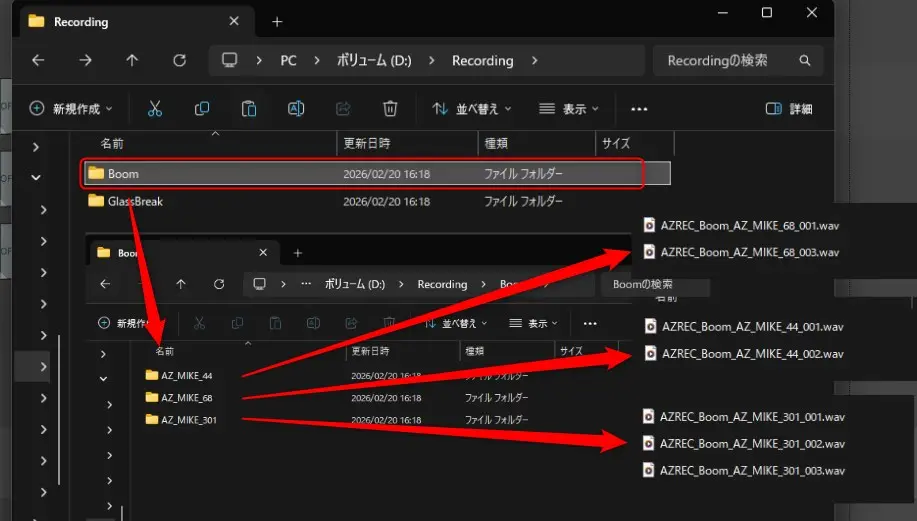
Additionally, the NG takes that were set previously will be automatically excluded and assigned numbers, and each track will be output in a separate folder.
This allows you to set file names in just a few seconds without any mistakes.
Please feel free to use it.
◆Required plan
- RIGDOCKS -BRONZE-
- RIGDOCKS -SILVER-
- RIGDOCKS -GOLD-
□For detailed documentation on how to generate ReaScript, see 👇
Make your work more efficient with SILVER's API !
Next time, we will release the Lua version of Reapdock.
3/4
LINK
New to Reaper/those considering subscribing to a plan
Reaper Complete Guide - From Installing Reaper to Creating Reascript -
Reaper Complete Guide Ver.2 - Various useful settings to know -
[REAPDOCK]Script documentation can be found at
[ REAPDOCK Table of Contents Page ]
[APIDOCK] Please refer to the table of contents page below for the APIs used in the script.
[ APIDOCK-API-Table of Contents Page
REAPDOCK List
- [REAPDOCK-Python-] -057- [Media] A collection of scripts for recording by process - Organizing - Dividing recorded takes into OK and NG
- [REAPDOCK-Python-] -056- [Track] A collection of scripts for recording steps - Preparation- Prepare a recording track for each microphone
- [REAPDOCK-Python-] -055- [Excel] Record audio files managed by Perforce into Excel and check if they are implemented in Wwise ③
- [REAPDOCK-Python-] -054- [Excel] Recording audio files managed in Perforce into Excel and checking whether they are implemented in Wwise②
- [REAPDOCK-Python-] -053- [Excel] Recording audio files managed by Perforce into Excel and checking whether they are implemented in Wwise①
- [REAPDOCK-Python-] -052- [Excel] Setting up audio files managed in Perforce based on an Excel spreadsheet and automatically implementing them in Wwise③
- [REAPDOCK-Python-] -051- [Excel] Setting up audio files managed in Perforce based on an Excel spreadsheet and automatically implementing them in Wwise②
- [REAPDOCK-Python-] -050- [Excel] Setting up audio files managed in Perforce based on an Excel spreadsheet and automatically implementing them in Wwise①
Past blogs are here
- [CEDEC+KYUSHU2024] Successfully automated the process from voice rough editing to Wwise implementation
- [LOUDMATCHFY] Part 2: Running Name Detection Loudness
- [LOUDMATCHIFY] Part 1 : Creating Save Data - Patented Technology 003 -
- [HANDAUTOMER] Part 2 : From importing to loudness adjustment! Volume adjustment without a compressor -
- [HANDAUTOMER] Part 1 : Run HANDAUTOMER on selected media and automatically set to Momentary-21LUFS -
- [TEXT] Save data construction
- [AUTO] Speeding up audio editing - Automatic media insertion -
- [AUTO] Essential for MA production : Session organization automationPart 3
- [AUTO] Essential for MA production : Session organization automation Part 2
- [AUTO] Essential for MA production : Session organization automation Part 1
- [MEDIA] Essential for MA production -Delete all muted media -
- [MEDIA] SE production required! ! -Free Pitch operation -
- [MEIDA] Essential for MA production -Delete all muted media -
- [FOLEY] Foley recording is essential!! -Multiple video copies during recording -
- [MEDIA] "Sound Design" Essential-Fade Automation -
- [MEDIA] Speed up sound designer! ReaScript for freely adjusting playback speed!!
- [MEDIA] Essential for volume adjustment! ReaScript for freely changing the volume!!
- [MEDIA] Essential for MA production : ReaScript to get frame count in 2 seconds!!
- [REC] Essential for recording! : Add “ng” to the selected waveform name
- [MEDIA] Sort all media in ascending OLDER
- [MEDIA] Automatically change all selected media to MONO