


Latest posts from AZSTOKE
BLOG
Tag#lua
[REAPDOCK-Lua-] -065- [Transcription] Record the transcription results in Google Sheets
This document introduces a script that utilizes the Google Sheets integration API added in RIGDOCKS GOLD - 1.5.0. This script adds a process to write the transcript of the previously extracted audio portion to a Google Sheet. Using this script, you can immediately share the content with your team by extracting only the dialogue after recording voice or sound effects and writing it to a Google Sheet.
[REAPDOCK-Lua-] -064- [Transcription] Cut out the silent parts of the audio file and transcribe the audio portion.
Here is a script that uses the newly added API in SILVER to detect silent and spoken sections in audio files and extract the audio. By adding a transcript to the extracted audio, you can visually verify the content of the audio clip.
[REAPDOCK-Lua-] -063- [Transcription] Notify Slack of the results of the comparison with the script.
Following up on our previous post, we’ll now introduce a script that uses the transcription feature implemented in SILVER-1.4.0, released on March 13. This time, we've added a process to the previous script that notifies Slack of the results of comparing the calculated transcription with the script.
[REAPDOCK-Lua-] -062- [Transcription] Compare transcription results with the script
Following on from last time, I will introduce a script that uses the transcription function implemented in SILVER-1.4.0, which was released on March 13th. This script transcribes audio media, compares the results to an Excel script, and verifies that the content is accurate.
[REAPDOCK-Lua-] -061- [Transcription] Transcription results recorded in Excel
Following up on our previous post, we’d like to introduce a script that utilizes the transcription feature implemented in SILVER-1.4.0, released on March 13. In this post, we’ll introduce a script that transcribes audio media and writes the results into an Excel file prepared as a transcript.
[REAPDOCK-Lua-] -060- [Transcription] Record the transcription results in the memo item
Over the next few installments, I will introduce scripts that utilize the transcription function implemented in SILVER-1.4.0, which was released on March 13th.
[REAPDOCK-Lua-] -059- [Excel] A collection of scripts for recording processes - Management- Exporting exported media information to Excel
Continuing from last time, we will introduce scripts that will make recording easier. This time, we will introduce a script that exports the information of the exported file to Excel for management purposes.
[REAPDOCK-Python-] -058- [Render] A collection of scripts for recording processes - Export- Naming media and outputting to separate folders
Continuing from last time, we will introduce scripts that will make recording easier. This time, we will introduce a script that writes recorded takes to files with names according to a naming convention.
[REAPDOCK-Lua-] -058- [Render] A collection of scripts for recording processes - Export- Naming media and outputting to separate folders
Continuing from last time, we will introduce scripts that will make recording easier. This time, we will introduce a script that writes recorded takes to files with names according to a naming convention.
[REAPDOCK-Lua-] -057- [Media] A collection of scripts for recording by process - Organizing - Dividing recorded takes into OK and NG
Continuing from last time, I'll introduce scripts that simplify recording work. This time, I'll introduce a script that filters out unwanted takes as NG during recording and reverts NG takes back to OK.
[REAPDOCK-Lua-] -056- [Track] A collection of scripts for recording steps - Preparation- Prepare a recording track for each microphone
Starting this time, over the next four installments, I'll be introducing scripts that simplify recording work. This time, it's a script for easily creating tracks in projects where you prepare separate tracks for each microphone used for each sound.
[REAPDOCK-Lua-] -055- [Excel] Record audio files managed by Perforce into Excel and check if they are implemented in Wwise ③
Following up from last time, we'll introduce a new script using Perforce, Excel, and Wwise. This script focuses on placing audio files not yet implemented in Wwise into Reaper and automating the pre-implementation processing.
[REAPDOCK-Lua-] -054- [Excel] Recording audio files managed in Perforce into Excel and checking whether they are implemented in Wwise②
Following up from last time, we introduce a new script using Perforce, Excel, and Wwise. This script checks whether sound objects and events with the same names as audio files recorded in Excel are implemented in Wwise. Using this script allows you to detect missing voice implementations.
[REAPDOCK-Lua-] -053- [Excel] Recording audio files managed by Perforce into Excel and checking whether they are implemented in Wwise①
Over the next three articles, we will introduce new scripts using Perforce, Excel, and Wwise. The ultimate goal of this script is to write files stored in Perforce to Excel, check whether they have been implemented in Wwise, and automatically notify you if they have not.
[REAPDOCK-Lua-] -052- [Excel] Setting up audio files managed in Perforce based on an Excel spreadsheet and automatically implementing them in Wwise③
Following on from the previous blog, this time we will introduce a script that tests the integration of Perforce with Excel, Wwise, and Slack. we will show you how to generate a Wwise soundbank and notify the results via the Slack app.
[REAPDOCK-Lua-] -051- [Excel] Setting up audio files managed in Perforce based on an Excel spreadsheet and automatically implementing them in Wwise②
This time, continuing from last time, I'll introduce a script that attempts to integrate Perforce, Excel, and Wwise. I'll cover the part that renders audio files placed in Reaper and imports them into Wwise.
[REAPDOCK-Lua-] -050- [Excel] Setting up audio files managed in Perforce based on an Excel spreadsheet and automatically implementing them in Wwise①
Over the next three blogs, we'll introduce scripts that test the integration between Perforce, Excel, and Wwise. The final destination is to retrieve files from Perforce, configure and adjust settings based on an Excel spreadsheet, and then automatically implement them into Wwise.
[REAPDOCK-Lua-] -049- [Track] Insert from file name
This time, we'll introduce a script using the track-related API added in SILVER 1.3.0. It creates tracks according to the file naming convention.
[REAPDOCK-Lua-] -048- [Wwise] Creating object configurations from templates
This time, we'll introduce a script that uses the API added in GOLD 1.4.0 for copying Wwise objects.
[REAPDOCK-Lua-] -047- [Wwise] Automating the creation of random containers and setting random values
This time, we'll introduce a script that utilizes the API added in GOLD 1.4.0 for configuring Wwise's randomization feature.
[REAPDOCK-Lua-] -046- [Wwise] Automating Bank Generation - Improved Version 4-
In previous blog (038), I created and configured a bank. This time, I will introduce a script that adds the process of generating the configured bank.
[REAPDOCK-Lua-] -045- [Excel] Import audio file into Reaper and match volume value to data in Excel file
This time, we will create a script that links Reaper and Excel. Import audio files into Reaper and set their volume according to the data in the Excel file you prepared in advance.
[REAPDOCK-Lua-] -044- [Excel] Import an audio file into Reaper and record its length in Excel
This time it will be an integration script between Reaper and Excel. It writes the information of an audio file imported into Reaper into an Excel file. In this script, if there is already a corresponding row in the Excel file, the information is only updated, and if there is no row, a new row is created.
[REAPDOCK-Lua-] -043- [Perforce] Importing Perforce-managed files into Reaper while filtering out unnecessary files
This is a script to automate the integration between Perforce and Wwise. It can retrieve audio files managed by Perforce and import them into Reaper.
[REAPDOCK-Lua-] -042- [SVN] Get the audio file from SVN and import it into Wwise
This time it will be a script to automate the integration between SVN and Wwise. It retrieves audio files managed by SVN and imports them into Wwise.
[REAPDOCK-Lua-] -041- [Slack] Automatically record the executed waveform name in child threads
This time, it will be an application that makes Slack notifications useful. It will automatically reply to the completion notification thread and list the waveform names that executed the HANDAUTOMER.
[REAPDOCK-Lua-] -040- [Perforce] Get the latest revision from a specified folder and automate inserting
This is a Perforce automation that is new to GOLD 1.3.0. It automates the process of retrieving files from the latest revision and inserting them into the Reaper project.
[REAPDOCK-Lua-] -039- [SVN] Get the specified revision file and automate insert
New to RIGDOCKS GOLD 1.3.0 is the automation of SVN. Specify a revision of a file update, and Reaper will retrieve files updated with that revision and automatically line them up in your Reaper project.
[REAPDOCK-Lua-] -038- [Wwise] Automating Bank Generation and Linking - Improved Version 3-
This Reascript employs new automation features from GOLD 1.3.0, which is about to be released to the public. In addition, SoundBank generation and Event stringing have been automated. We hope you will experience the ever-advancing automation.
[REAPDOCK-Lua-] -037- [Wwise] Adding automation to Event action controls - Improved version 2-
Again, this is a Reascript that employs new automation features that are now executable in the latest version of GOLD (1.2.0). Coordination within an Event is one of the tasks that occur at many sites. Now you can automate them as well.
[REAPDOCK-Lua-] -036- [Wwise] Added automation function for event generation - Improved version 1-
This Reascript employs a new automation feature that can be executed by using the latest version of GOLD (1.2.0). It further improves on the blend container automation generated in the previous blog, automating the process of creating an Event and setting the blend container as is.
[REAPDOCK-Lua-] -035- [Wwise] Automate everything from exporting to generating blend containers
Reascript employs new automation features that are now executable with the latest version of GOLD (1.2.0). It exports mono waveforms created in Reaper, generates work units, actor-mixers, and blend containers, and imports the exported audio waveforms.
[REAPDOCK-Lua-] -034- [Foley] Rearrange the cut OK sounds Improved version 1
In the previous issue, we presented a ReaScript that can be used for sound selection after Foley recording to bring the cut-out media to the second half. This time, we will introduce an improved version with additional functions.
[REAPDOCK-Lua-] -033- [Foley] Rearrange the cut OK sounds
This is a ReaScript that can be used for sound selection after Foley recording. By selecting the clipped waveform and executing the script, the waveform can be moved to the end of the project and lined up at 0.5 second intervals.
[REAPDOCK-Lua-] -032- [Movie] Copy the selected video in parallel for the specified number of times
This is a Script for generating video for use in recording, etc. When recording sound to go along with video, simply placing the same video at equal intervals can be quite time-consuming. This script allows you to automatically copy and parallelize videos by simply specifying the number of copies and the interval between copies.
[REAPDOCK-Lua-] -010-SE production required! ! -Free Pitch operation-ReaScript! !
Lua:ReaScript to change the pitch of selected media files in a batch. It is very versatile and can be used to set random Pitch settings, etc.

[REAPDOCK-Lua-] -009-MA production required!! -Delete all muted media-ReaScript!!
Lua:This is a ReaScript to delete muted media files in bulk. The mechanism is to deal with the mute information.

[REAPDOCK-Lua-] -008-Foley recording is essential!! -Multiple video copies during recording-ReaScript!!
Lua:Script that copies and aligns side by side from a single video!

[REAPDOCK-Lua-]-007-"Sound Design" Essential-Fade Automation-ReaScript!!
Lua:Automatically sets FadeIn/FadeOut. The fade can be changed freely, allowing you to set fades at inserts and at various other points.
[REAPDOCK-Lua-] -031- [Slack] Slack notification after HANDAUTOMER execution
The 31st issue of REAPDOCK is about Slack notifications, which have finally been implemented. First of all, we focused on the first step, which is to notify the end timing, and made it into a script. We hope you will find it useful.

[REAPDOCK-Lua-]-006-Speed up sound designer! ReaScript for freely adjusting playback speed!!
Lua:Playback speed can be freely changed, and the media position can be adjusted to match after length changes.

[REAPDOCK-Lua-] -005- Essential for volume adjustment! ReaScript for freely changing the volume!!
“Volume of all selected media +1dB” This is a script that could be used in various places as an application.

[REAPDOCK-Lua-] -004- Essential for MA! ReaScript to get frame count in 2 seconds!!
The subject of this issue is a Script that “outputs all file names and frame counts of a specified track to the console.

[REAPDOCK-Lua-] -003- Essential for recording! ReaScript that turns a 10 minute task into 2 seconds!!
In this case, the script is “Add ‘_ng’ to the name of all selected media (waveforms). This is a technology sharing that will help recording engineers shorten their time by incorporating automation into their work.
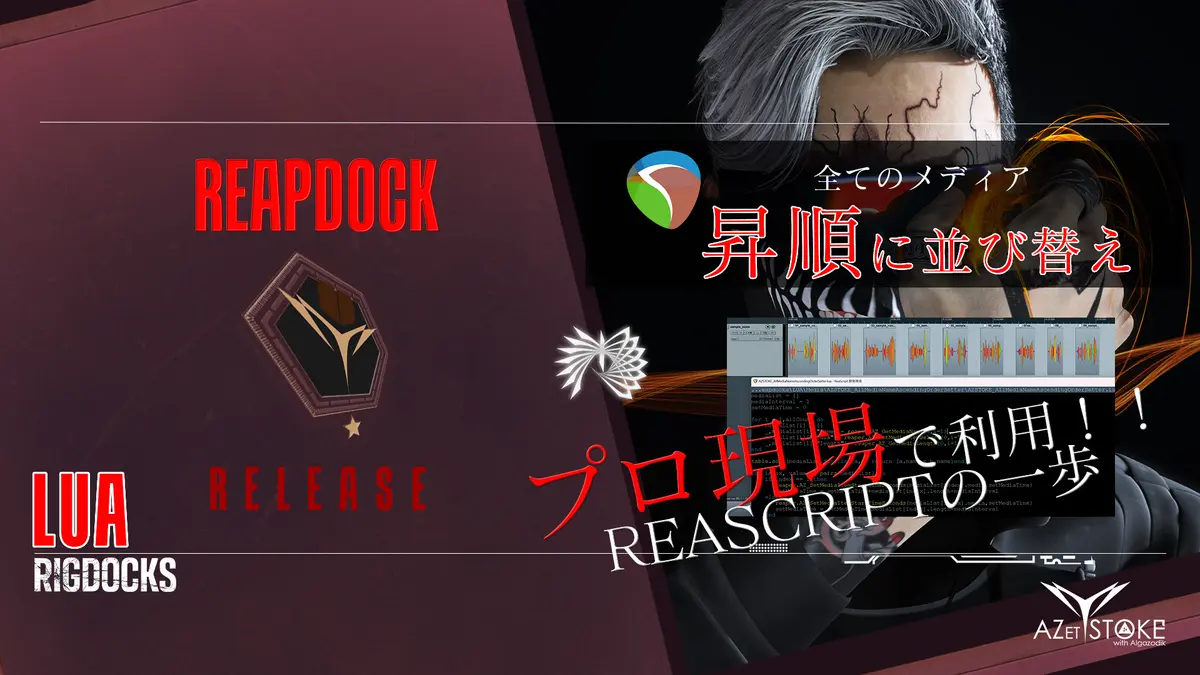
[REAPDOCK-Lua-]-002-Sort all media in ascending order
The script is “Sort all media (waveforms) in ascending order.” However, please note that there are some caveats.
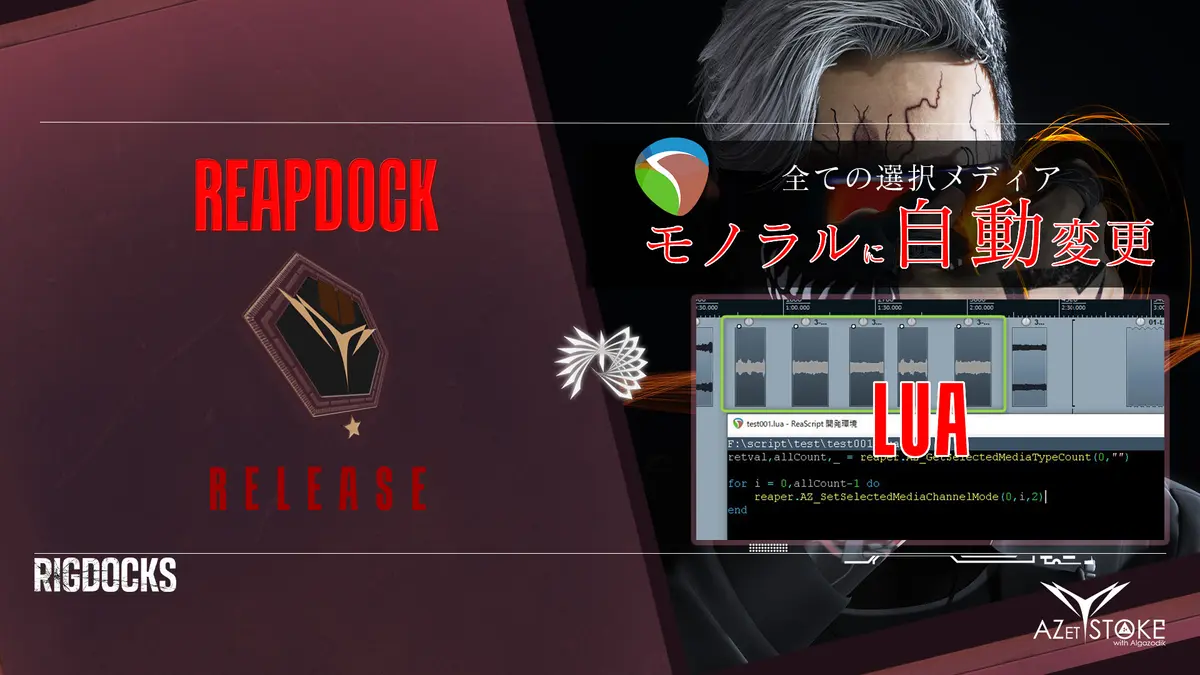
[REAPDOCK-Lua-]-001-Automatically change all selected media to mono
It's a pain to change each one to mono every time. This will solve that problem once and for all .
[REAPDOCK-Lua-] -030- [Render] Rendering waveforms using saved data
This is a Reascript that reads the saved data of the Render settings generated in the previous blog and writes out the waveform data. This will be an essential feature for game sounds that require different export settings for different types of sounds.
[REAPDOCK-Lua-] -029- [Render] Save render settings as text and generate save data
ReaScript is essential for automating file export. The exporting of files that have been created and implemented requires several minutes to set up and run by hand. This will be especially useful for those who frequently export files!
[REAPDOCK-Lua-] -028- [CEDEC+KYUSHU2024] Successfully automated the process from voice rough editing to Wwise implementation
This is the latest version of REAPDOCK that I will be sharing at CEDEC+KYUSHU. We have succeeded in completely automating the workflow of sound conditioning, Wwise implementation, volume adjustment, and Wwise implementation again. We hope to unravel this REAPDOCK and share it with you at CEDEC+KYUSHU2024.
[REAPDOCK-Lua-] -027- [Wwise] -Part1- Manipulating each file name
This is the first part about Wwise operations: “Renaming”. Connect to Wwise and rename the selected object. By using the string operations in Silver's API during the change, it is possible to remove unnecessary spaces and replace strings.
[REAPDOCK-Lua-] -026- LOUDMATCHIFY Part 2: Running Name Detection Loudness
This time, LOUDMATCHIFY will be executed using the save data generated in the previous blog. LOUDMATCHIFY is a patented technology of AZSTOKE Corporation, number 003.
[REAPDOCK-Lua-] -025- [LOUDMATCHIFY] LOUDMATCHIFY 1st Edition: Creating Save Data - Patented Technology 003 - ReaScript!!
We are pleased to announce ReaScript using AZSTOKE Inc. patented technology 003 “LOUDMATCHIFY”. This is a patented technology presented at CEDEC2024. It is a name detection loudness adjustment function.
[REAPDOCK-Lua-] -024- [TALKTRON] Multilingual volume automatic adjustment function - Patented technology 002 - ReaScript!!
Automatic multilingual volume adjustment - ReaScript with patented technology 002 “TALKTRON”! Automatic adjustment and smooth confirmation of a huge amount of voice work!
[REAPDOCK-Lua-] -023- [Region] Region Marker Part 1 - Set the region of the selected media as it is - ReaScript!!
[-Lua-] This is the first ReaScript on region creation. Region creation is a very important function for game sound. It is not a mechanism to play a single long piece of media, but to create various waveform data, which will be played back according to each scene of the game, thus requiring waveform data with appropriate lengths.
[REAPDOCK-Lua-] -022- [File] Save Data Construction Part 2 - Increasing the Freedom of Reading Text Files - ReaScript!!
Save data construction Part 2 - Increasing the flexibility of reading text files! This is the second ReaScript regarding save data construction.
[REAPDOCK-Lua-] -021- [Folder] ReaScript creates a dedicated folder when importing media to solve the problem of overlapping media names!
This time, it's a ReaScript for automatic folder generation. When inserting media, if you import it as is, the name may overlap with the name of the imported media, and the media name may be automatically changed. To prevent this from changing, you can set it by separating the folders. In order to automatically separate the folders rather than simply splitting them, you need to name the folders.

[REAPDOCK-Lua-] -020- Automatic generation of the same type part 2 - Automatically create multiple sets of tracks and media at once! - ReaScript!!
This is an introduction to ReaScript , which reads media in a specified folder and automatically generates multiple group sets at once .

[REAPDOCK-Lua-] -019- Automatic generation of the same type part 1 - Automatically create multiple sets of tracks at once! - ReaScript!!
This is the first installment of ReaScript for bulk automatic replication. Introducing ReaScript, which automatically generates multiple track group sets .

[REAPDOCK-Lua-] -018- Super easy track solo mode with partial track name specification! - ReaScript!!
So this time, I'd like to introduce a ReaScript that will automatically detect certain characters in the track name and set the track solo .

[REAPDOCK-Lua-] -017- "HANDAUTOMER" - Part 2 - From importing to loudness adjustment! Volume adjustment without a compressor - ReaScript!!
This time we will introduce ReaScript, which uses our patented technology HANDAUTOMER, which automates all steps from import to loudness adjustment .

[REAPDOCK-Lua-] -016- "HANDAUTOMER" - Part 1 - Run HANDAUTOMER on selected media and automatically set to Momentary-21LUFS - ReaScript!!
This time we will introduce ReaScript, a loudness control system that uses our patented technology HANDAUTOMER.

[REAPDOCK-Lua-] -015- Save data construction part 1 - ReaScript!!
ReaScript

[REAPDOCK-Lua-] -014- Speeding up audio editing - Automatic media insertion part 1 - ReaScript!!
In Reaper, if you directly insert multiple pieces of data into a session, the items will be inserted consecutively on one track. It would be a lot of work to rearrange them all by hand. What I'd like to introduce this time is a ReaScript that places files in a folder at one-second intervals .

[REAPDOCK-Lua-] -013- Essential for MA production - Session organization automation part 3 - ReaScript!!
The reference ReaScript here is Part 3 of session organization, which automatically sets sequential names and colors for the children of the selected tracks , unmutes the selected tracks starting from the top, and deletes unused tracks . Combining Organizing Automation Part 1/Part 2 gives you even more control with just one click. It searches for muted media and deletes it if muted, and then deletes any tracks that do not contain media, including tracks that are now unused.

[REAPDOCK-Lua-] -012- A must for MA production!! - Session organization automation 2 - ReaScript!!
This reference ReaScript is Part 2 of the session organization, which automatically sets sequential names and colors for the children of the previously selected tracks . As the session is created, it will fall apart, for example by creating extra tracks to make it easier to create sound effects, or by muting sound effects that you have used.
[REAPDOCK-Lua-] -011- Essential for MA production!! - Session organization automation - ReaScript!!
This reference ReaScript is an even more practical function. When actually producing sound on-site, there are times when you need to deliver the sound in a session or have it checked by your team. However, when producing sound effects, the number of tracks almost always becomes huge, and organizing these tracks can be very difficult. We will release a very useful Script that will instantly help you organize the tracks.