


[REAPDOCK-Lua-] -031- [Slack] Slack notification after HANDAUTOMER execution
All postsREAPDOCK👇
[Slack] Slack notification after HANDAUTOMER execution
[ LUA ]REAPDOCK/APIDOCK document update
Topic: [Slack] Slack notification after HANDAUTOMER execution
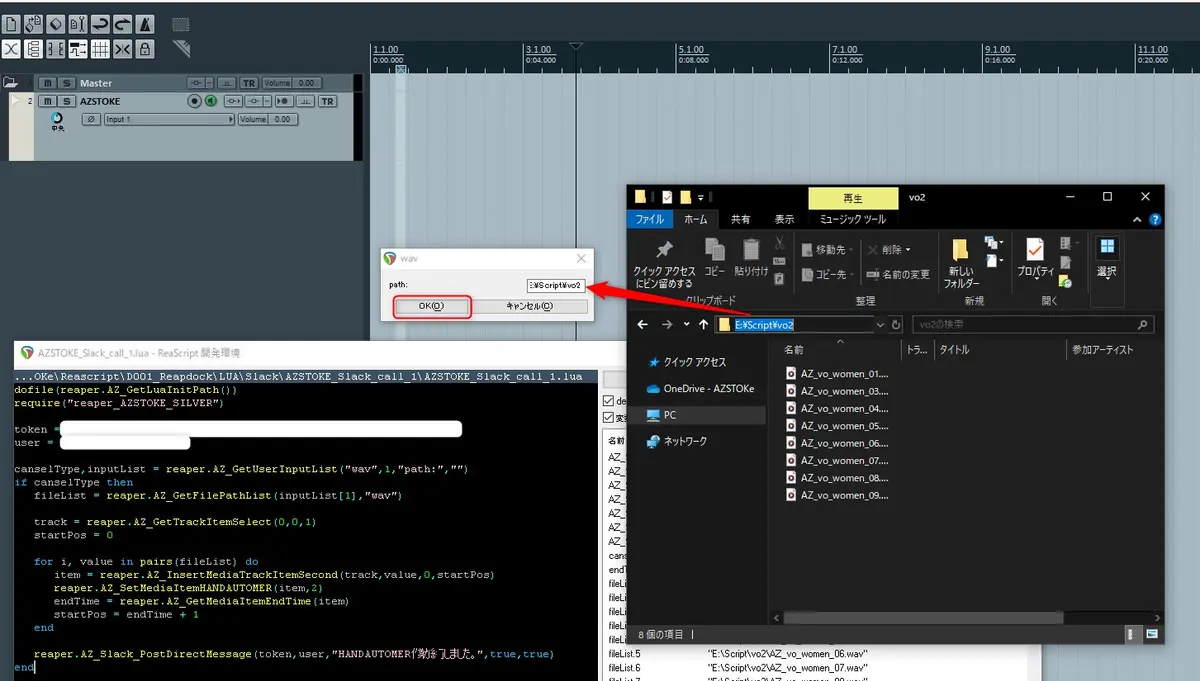
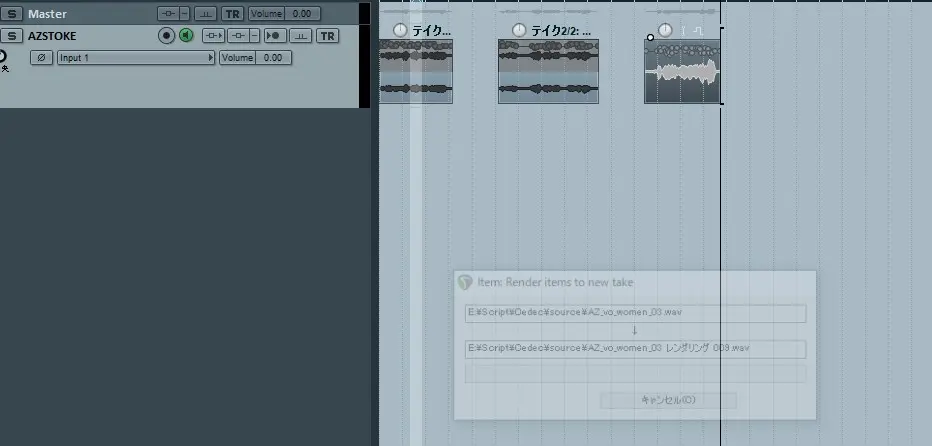
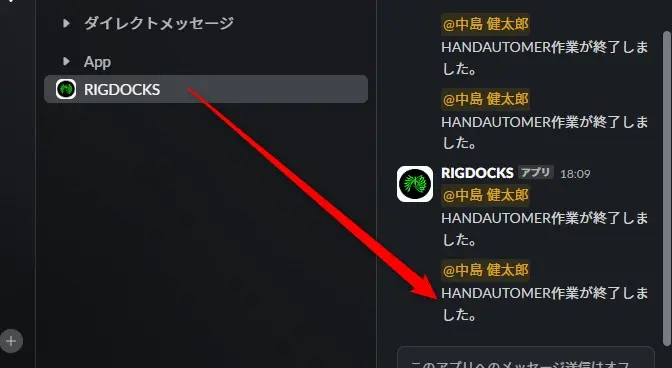
The 31st episode of REAPDOCK is about the finally implemented Slack notifications.
As you incorporate automation, you'll end up auto-tuning hundreds of audio clips!
In that case, even though it was automatic, I couldn't tell when it would finish unless I looked at the screen.
If you could receive a Slack notification when the task is finished, you wouldn't have to constantly monitor the screen. You could do it before starting other work or taking a short break, and you'd be able to check when the task finished and what the results were from a distance.
First, I narrowed it down to a task of notifying the user when the first step is completed and created a script.
We hope you will use it.
□For detailed documentation on how to generate ReaScript, see 👇
" [Slack] Slack notification after HANDAUTOMER execution "
Make your work more efficient with SILVER's API !
Next time, Reapdock Python version will be released
1/15
LINK
New to Reaper/those considering subscribing to a plan
Complete Guide to Reaper - From Installing Reaper to Creating Reascript -
Reaper Complete Guide Ver.2 - Various useful settings to know -
[REAPDOCK]Script documentation can be found here:
[ REAPDOCK Table of Contents Page ]
[APIDOCK] Please refer to the following table of contents for the APIs used in the script.
[ APIDOCK-API-Table of Contents Page ]
REAPDOCK List
- [-Lua-] -029- [Render] Save render settings as text and generate save data
- [-Lua-] -028- [CEDEC+KYUSHU2024] Successfully automated the process from voice rough editing to Wwise implementation
- [-Lua-] -027- [Wwise] -Part1- Manipulating each file name
- [-Lua-] -026- LOUDMATCHIFY Part 2: Running Name Detection Loudness
- [-Lua-] -025- [LOUDMATCHIFY] LOUDMATCHIFY 1st Edition: Creating Save Data - Patented Technology 003 -
- [-Lua-] -024- [TALKTRON] Multilingual volume automatic adjustment function - Patented technology 002 -
- [-Lua-] -023- [Region] Region Marker Part 1 - Set the region of the selected media as it is -
- [-Lua-] -022- [File] Save Data Construction Part 2 - Increasing the Freedom of Reading Text Files -
- [-Lua-] -021- [Folder] ReaScript creates a dedicated folder when importing media to solve the problem of overlapping media names!
- [-Lua-] -020- Automatic generation of the same type part 2 - Automatically create multiple sets of tracks and media at once! -
- [-Lua-] -019- Automatic generation of the same type part 1 - Automatically create multiple sets of tracks at once! -
- [-Lua-] -018- Super easy track solo mode with partial track name specification! -
- [-Lua-] -017- "HANDAUTOMER" - Part 2 - From importing to loudness adjustment! Volume adjustment without a compressor -
- [-Lua-] -016- "HANDAUTOMER" - Part 1 - Run HANDAUTOMER on selected media and automatically set to Momentary-21LUFS -
- [-Lua-] -015- Save data construction part 1 -
- [-Lua-] -014- Speeding up audio editing - Automatic media insertion part 1 -
- [-Lua-] -013- Essential for MA production - Session organization automation part 3 -
- [-Lua-] -012- A must for MA production!! - Session organization automation 2 -
- [-Lua-] -011- Essential for MA production!! - Session organization automation -
- [-Lua-] -010- SE production required! ! -Free Pitch operation -
- [-Lua-] -009- MA production required!! -Delete all muted media -
- [-Lua-] -008- Foley recording is essential!! -Multiple video copies during recording -
- [-Lua-] -007- "Sound Design" Essential-Fade Automation -
- [-Lua-] -006- Speed up sound designer! ReaScript for freely adjusting playback speed!!
- [-Lua-] -005- Essential for volume adjustment! ReaScript for freely changing the volume!!
- [-Lua-] -004- Essential for MA! ReaScript to get frame count in 2 seconds!!
- [-Lua-] -003- Essential for recording! ReaScript that turns a 10 minute task into 2 seconds!!
- [-Lua-] -002- Sort all media in ascending order
- [-Lua-] -001- Automatically change all selected media to mono