


[REAPDOCK-Python-] -030- [Render] Rendering waveforms using saved data
All postsREAPDOCK👇
[Render] Rendering waveforms using saved data
[ PYTHON ]REAPDOCK/APIDOCK document update
Topic: " 【Render】Waveform rendering using saved data "
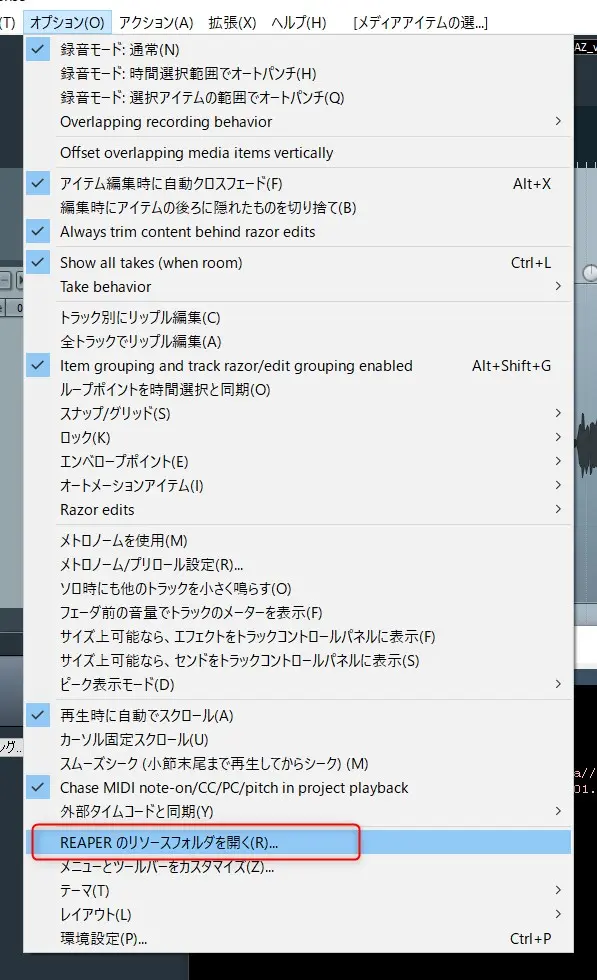

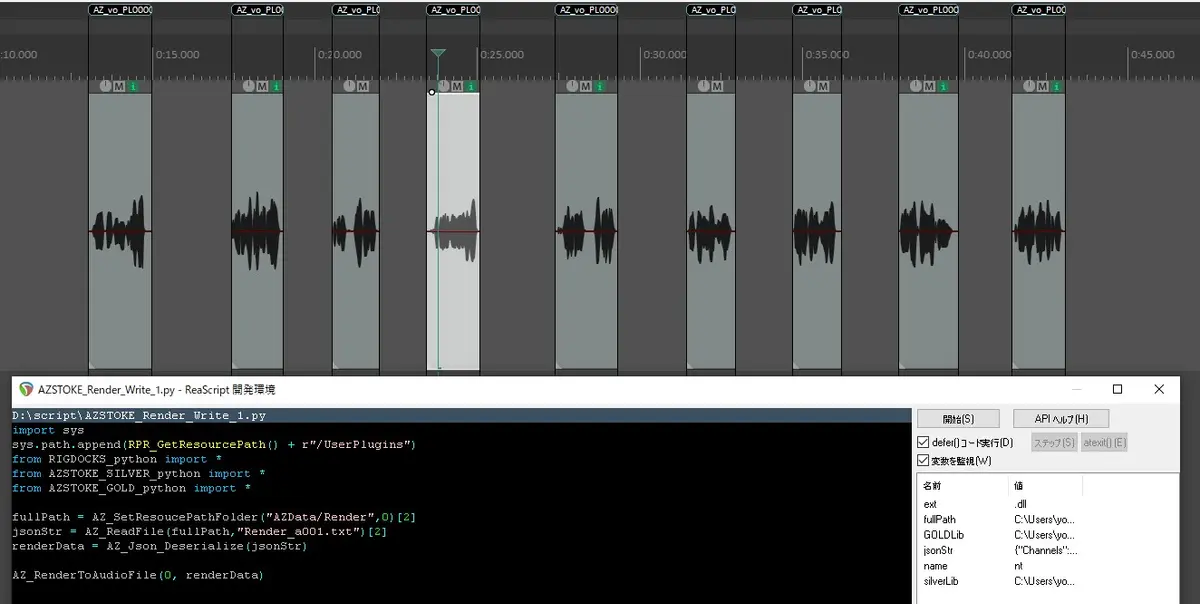
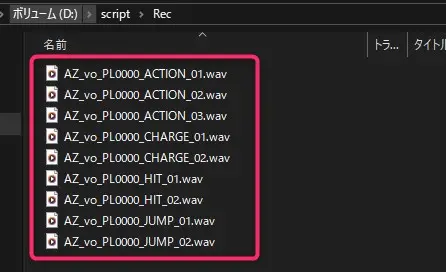
Following on from the Lua version last time, this week we will be introducing the Python version.
This is a Reascript that reads the saved data of the Render settings generated in the previous Python blog and writes out waveform data.
Setting specific render settings manually each time can lead to human error, and this function will be essential for game sounds, where export settings need to be changed depending on the type of sound.
When improving the script, try changing the export settings to suit your development status, taking into account the file name and number of channels required.
Please use Render to further automate your workflow.
□For detailed documentation on how to generate ReaScript, see 👇
" [Render] Rendering waveforms using saved data "
Make your work more efficient with SILVER's API !
Next time, Reapdock Lua version will be released
2025/01/08
(Due to the New Year's holiday, it will be released the week after next.)
LINK
New to Reaper/those considering subscribing to a plan
Complete Guide to Reaper - From Installing Reaper to Creating Reascript -
Reaper Complete Guide Ver.2 - Various useful settings to know -
[REAPDOCK]Script documentation can be found here:
[ REAPDOCK Table of Contents Page ]
[APIDOCK] Please refer to the following table of contents for the APIs used in the script.
[ APIDOCK-API-Table of Contents Page ]
REAPDOCK List
- [-Python-] -029- [Render] Save render settings as text and generate save data
- [-Python-] -028- [CEDEC+KYUSHU2024] Successfully automated the process from voice rough editing to Wwise implementation
- [-Python-] -027- [Wwise] -Part 1- Manipulating each file name
- [-Python-] -026- LOUDMATCHIFY Part 2: Running name detection loudness
- [-Python-] -025- [LOUDMATCHIFY] LOUDMATCHIFY 1st Edition: Creating save data - Patented technology 003 -
- [-Python-] -024- [TALKTRON] Multilingual Volume Automatic Adjustment Function - Patented Technology 002 -
- [-Python-] -023- [Region] Region Marker Part 1 - Set the region for the selected media as is -
- [-Python-] -022- [File] Save Data Construction Part 2 - Increasing the Flexibility of Reading Text Files -
- [-Python-] -021- [Folder] By generating a dedicated folder when importing media, the problem of overlapping media names has been resolved
- [-Python-] -020- Automatic generation of the same type part 2 - Automatically create multiple sets of tracks and media at once! -
- [-Python-] -019- Automatic generation of the same type part 1 - Automatically create multiple sets of tracks at once! -
- [-Python-] -018- Super easy track solo mode by specifying part of the track name! -
- [-Python-] -017- "HANDAUTOMER" - Part 2 - From importing to loudness adjustment! Volume adjustment without a compressor -
- [-Python-] -016- "HANDAUTOMER" - Part 1 - Adjust the volume of selected media and automatically set loudness -
- [-Python-] -015- Save data construction part 1 -
- [-Python-] -014- Speeding up audio editing - Automatic media insertion Part 1 -
- [-Python-] -013- Essential for MA production - Session organization automation part 3 -
- [-Python-] -012- Essential for MA production!! - Session organization automation 2 -
- [-Python-] -011- Essential for MA production!! - Session organization automation -
- [-Python-] -010- SE production required! ! -Free pitch operation-
- [-Python-] -009- MA production required!! -Delete all muted media-
- [-Python-] -008- Foley recording is essential!!-Multiple video copies during recording-
- [-Python-] -007- "Sound Design" Essential-Fade Automation-
- [-Python-] -006- Speed up sound designer! ReaScript for freely adjusting playback speed!!
- [-Python-] -005- A must-have for volume adjustment! ReaScript for freely changing the volume!
- [-Python-] -004- Essential for MA! ReaScript to get frame count in 2 seconds!!
- [-Python-] -003- Essential for recording! ReaScript that does a 10 minute job in 2 seconds!!
- [-Python-] -002- Sort all media in ascending order
- [-Python-] -001- Automatically change all selected media to mono