


[REAPDOCK-Python-] -021- [Folder] By generating a dedicated folder when importing media, the problem of overlapping media names has been resolved!!!
All posts
[ PYTHON ] REAPDOCK/APIDOCK document update notification
This is Nakashima from AZSTOKE Co., Ltd.
Wednesday is Python documentation update day.
When managing game sound files in a single folder, which involves handling a large number of files, problems often arise due to overlapping file names.
If the file name overlaps, it will be automatically saved in Reaper with a different name, which can lead to human error such as not realizing this and writing it out with the same name.
Even if you are careful, when it comes to game sounds that deal with tens of thousands of numbers, you should come up with a system that eliminates the need for such care in the first place.
This ReaScript will provide you with some tips on how to prevent file names from overlapping when importing.
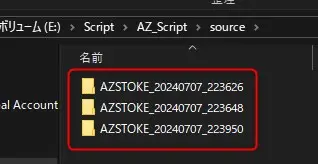
The import folder is automatically generated, the import destination is automatically set, the files are imported, and once everything is imported, the import folder is returned - all this is done automatically.
Users don't have to think about anything, they just enter the path to the folder they want to import!!!
It is very important to reduce human work as much as possible and mechanize it.
Take your first step towards automation!!!
□For detailed documentation on how to generate ReaScript, see 👇
Make your work more efficient with SILVER's API
Next time: 7/17 Reapdock Lua version released
LINK
New to Reaper/those considering subscribing to a plan
Complete Guide to Reaper - From Installing Reaper to Creating Reascript -
[REAPDOCK]Script documentation can be found here:
[ REAPDOCK Table of Contents Page ]
[APIDOCK] Please refer to the following table of contents for the APIs used in the script.
[ APIDOCK table of contents page ]
REAPDOCK List
- [-Python-] -001- Automatically change all selected media to mono
- [-Python-] -002- Sort all media in ascending order
- [-Python-] -003- Essential for recording! ReaScript that does a 10 minute job in 2 seconds!!
- [-Python-] -004- Essential for MA! ReaScript to get frame count in 2 seconds!!
- [-Python-] -005- A must-have for volume adjustment! ReaScript for freely changing the volume!!
- [-Python-] -006- Speed up sound designer! ReaScript for freely adjusting playback speed!!
- [-Python-] -007- "Sound Design" Essential-Fade Automation-
- [-Python-] -008- Foley recording is essential!!-Multiple video copies during recording-
- [-Python-] -009- MA production required!! -Delete all muted media-
- [-Python-] -010- SE production required! ! -Free pitch operation-
- [-Python-] -011- Essential for MA production!! - Session organization automation -
- [-Python-] -012- Essential for MA production!! - Session organization automation 2 -
- [-Python-] -013- Essential for MA production - Session organization automation part 3 -
- [-Python-] -014- Speeding up audio editing - Automatic media insertion Part 1 -
- [-Python-] -015- Save data construction part 1 -
- [-Python-] -016- "HANDAUTOMER" - Part 1 - Adjust the volume of selected media and automatically set loudness -
- [-Python-] -017- "HANDAUTOMER" - Part 2 - From importing to loudness adjustment! Volume adjustment without a compressor -
- [-Python-] -018- Super easy track solo mode by specifying part of the track name! -
- [-Python-] -019- Automatic generation of the same type part 1 - Automatically create multiple sets of tracks at once! -
- [-Python-] -020- Automatic generation of the same type part 2 - Automatically create multiple sets of tracks and media at once! -