

RIGDOCKS SILVER
Transcription
Transcribe audio in Reaper with OpenAI Whisper (ggml models).
Opening the SILVER settings
Transcription is configured in the SILVER settings panel of RIGDOCKS Bridge.
1In RIGDOCKS Bridge, open "Plugins" > "Installed"
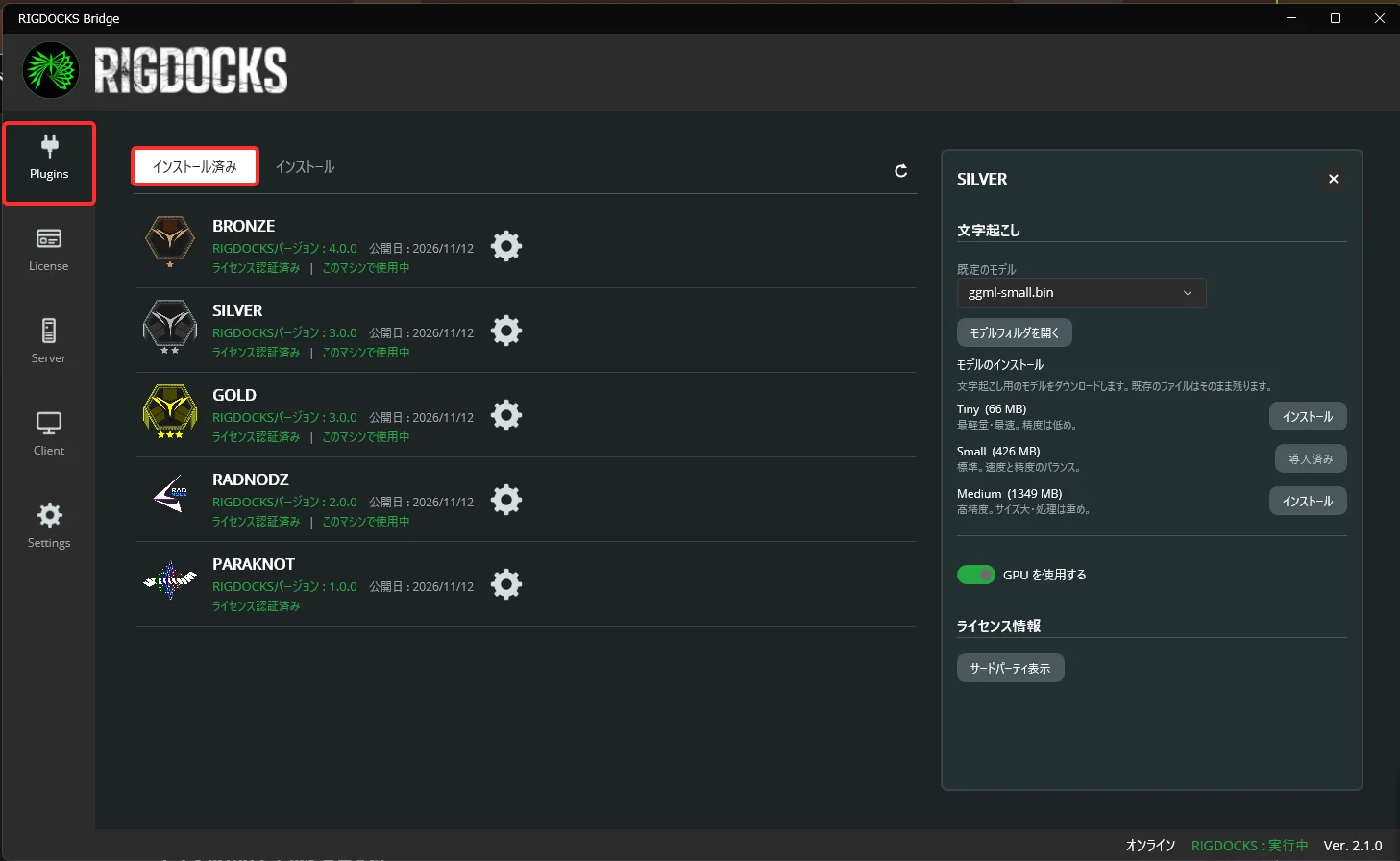
2Click the gear icon next to SILVER
The SILVER settings panel opens on the right.
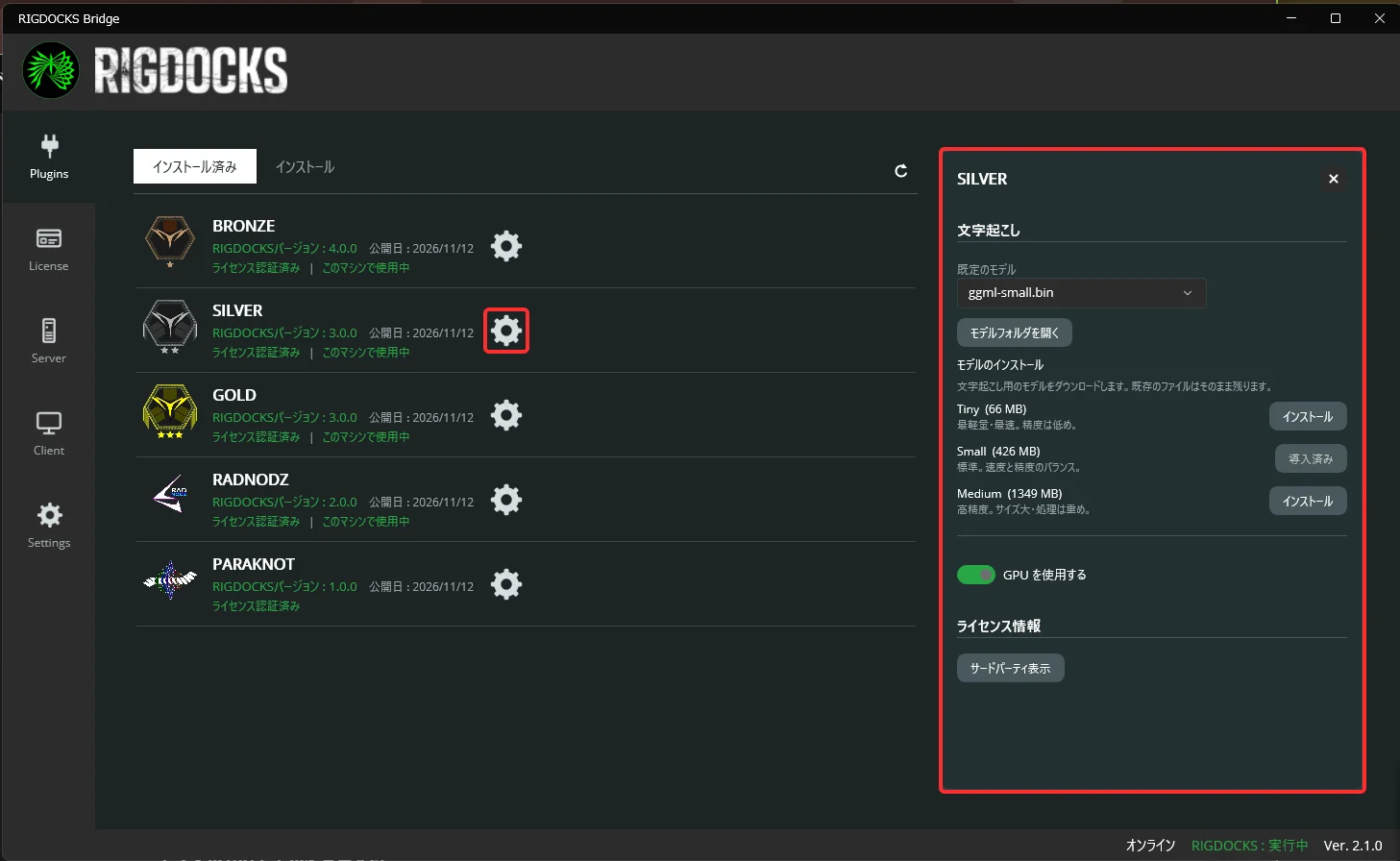
Installing an inference model
Transcription uses the ggml models provided by OpenAI. The models are not bundled with SILVER, so install the ones you need from RIGDOCKS Bridge.
| Model | Size | Accuracy | Speed |
|---|---|---|---|
| Tiny (ggml-tiny.bin) | 66 MB | △ | ◎ |
| Small (ggml-small.bin) | 426 MB | 〇 | 〇 |
| Medium (ggml-medium.bin) | 1349 MB | ◎ | △ |
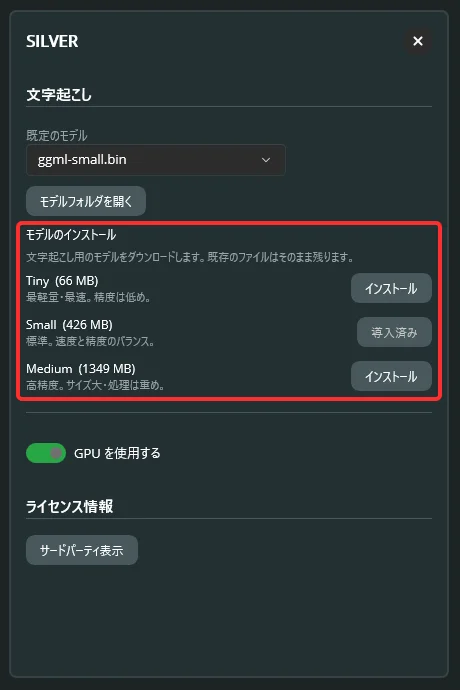
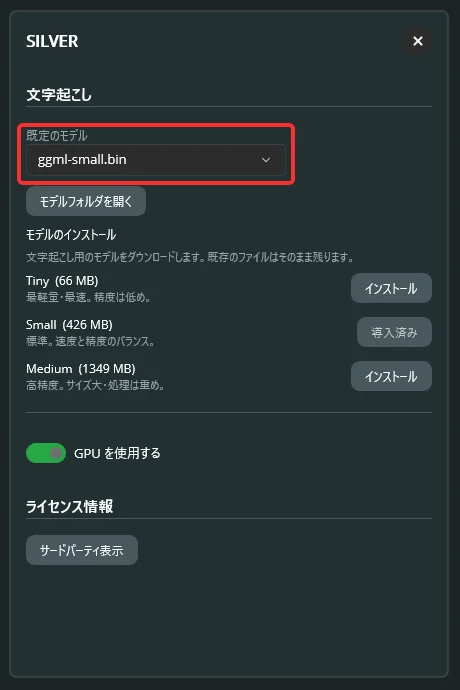
1Under "Install models", click "Install" for the model you want
The model is downloaded. Installed models show "Installed".
Existing files are left as they are.
2Choose the model to use under "Default model"
The model selected here is the one used for transcription by default.
Adding another inference model
To use a model that is not in the list, put it in the model folder.
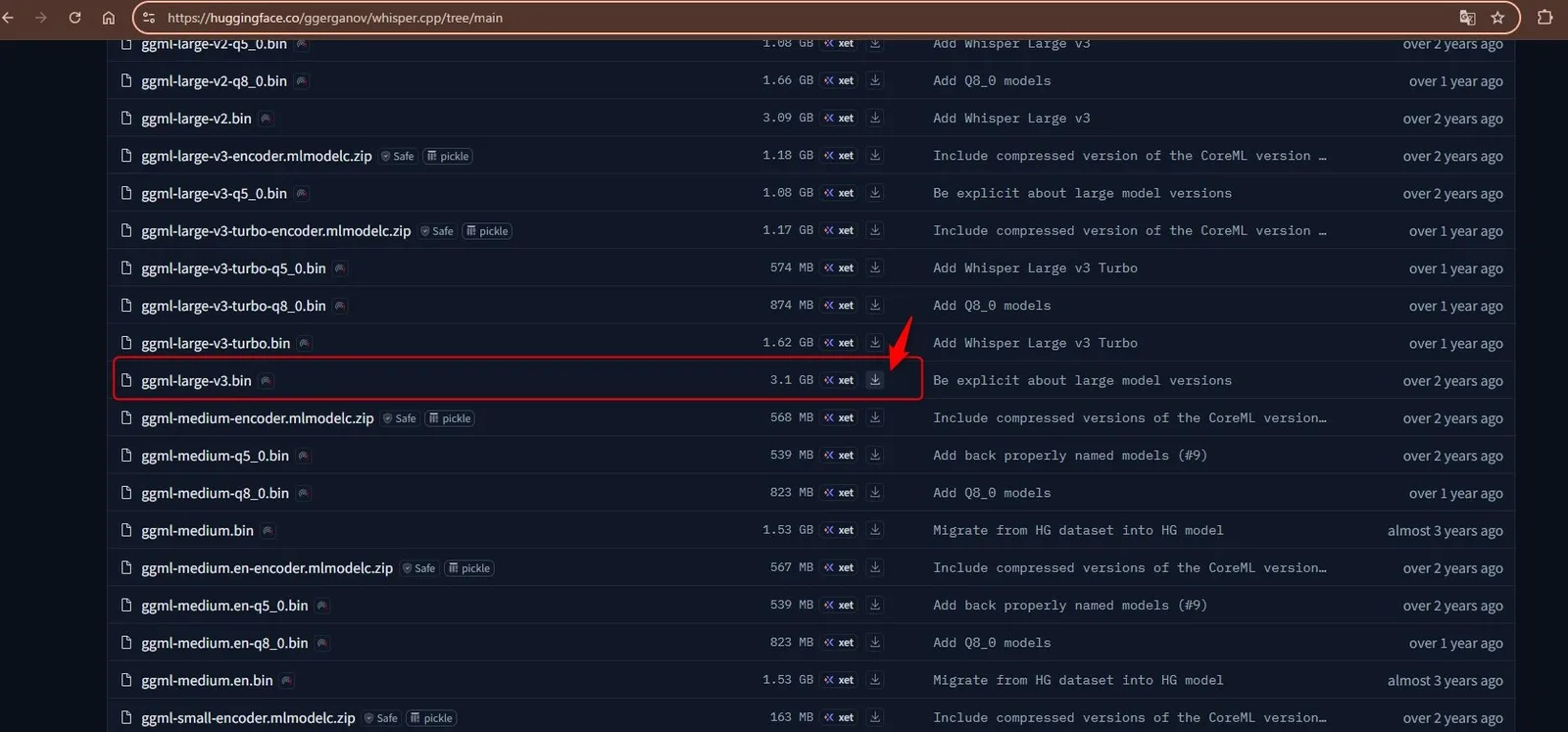
1Download the ggml model to use
Download the ggml model from the site below.
https://huggingface.co/ggerganov/whisper.cpp/tree/mainThis example downloads ggml-large-v3.bin. It is more accurate than ggml-medium.bin, but slower.
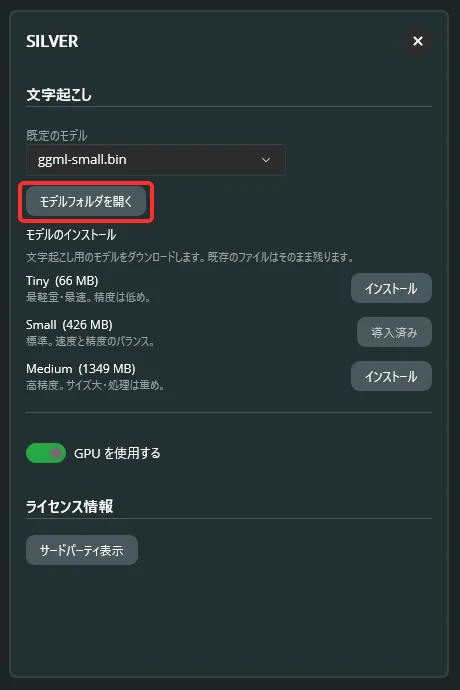
2Click "Open model folder" in the settings panel
The folder that models are loaded from opens.
3Put the downloaded model in the folder
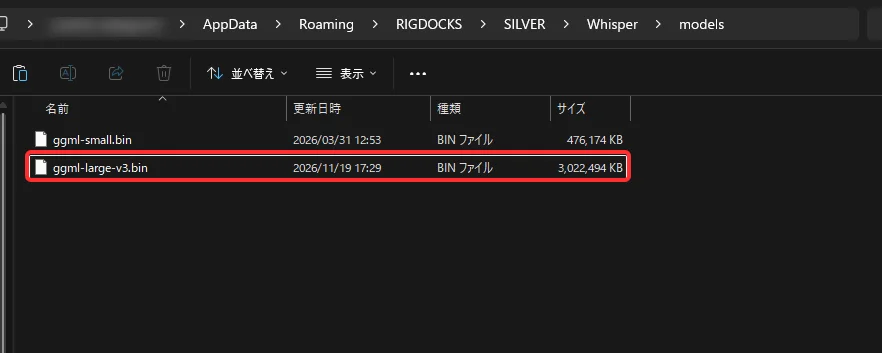
4The model you placed is added to "Default model"
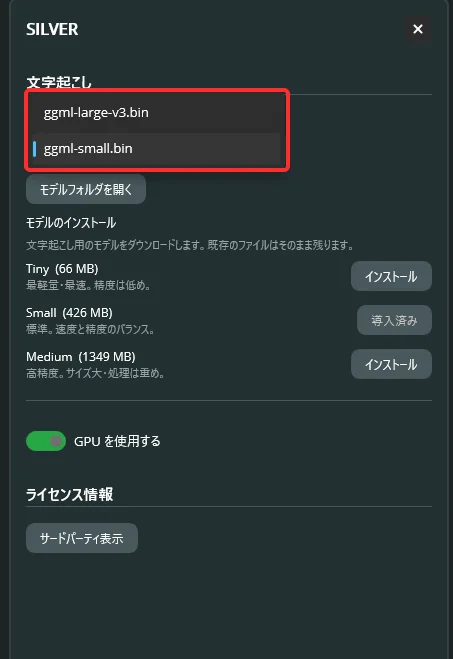
Models in the model folder can be used by passing the file name in the
modelPathargument ofAZ_TRSC_LoadModel(see Running transcription).
Processing on the GPU
Using an NVIDIA CUDA-capable GPU makes transcription much faster. GPUs from the Pascal generation onward are supported, on Windows only.
To find out which generation your GPU belongs to, see the page below.
https://en.wikipedia.org/wiki/CUDA#GPUs_supported
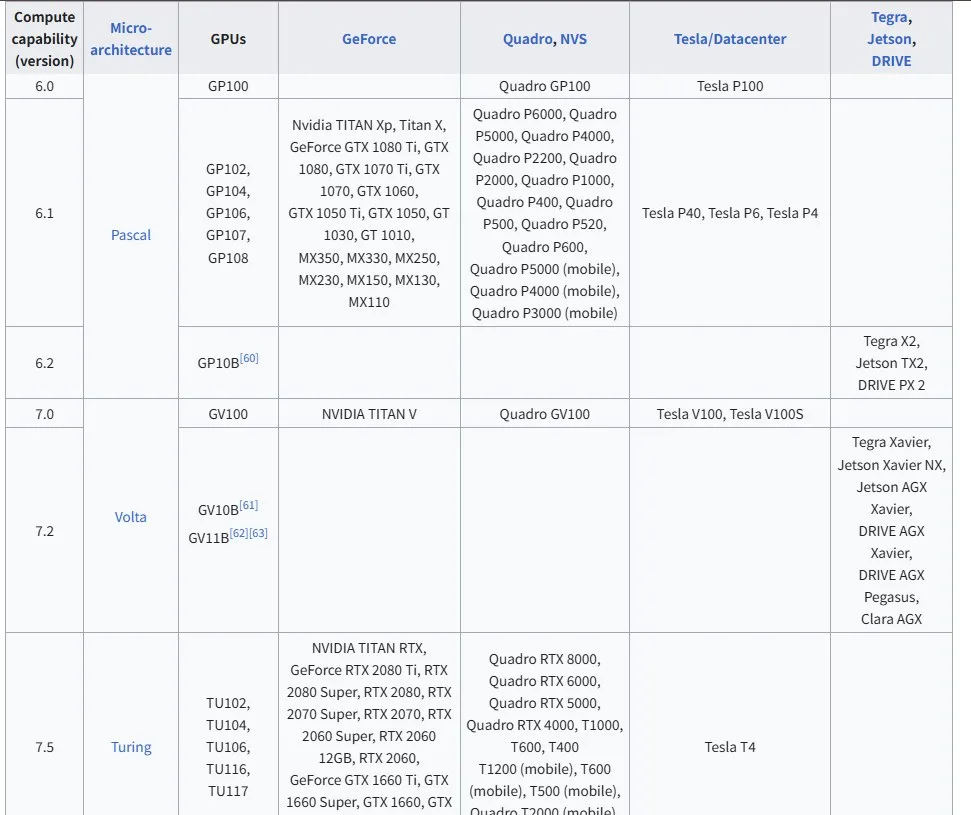
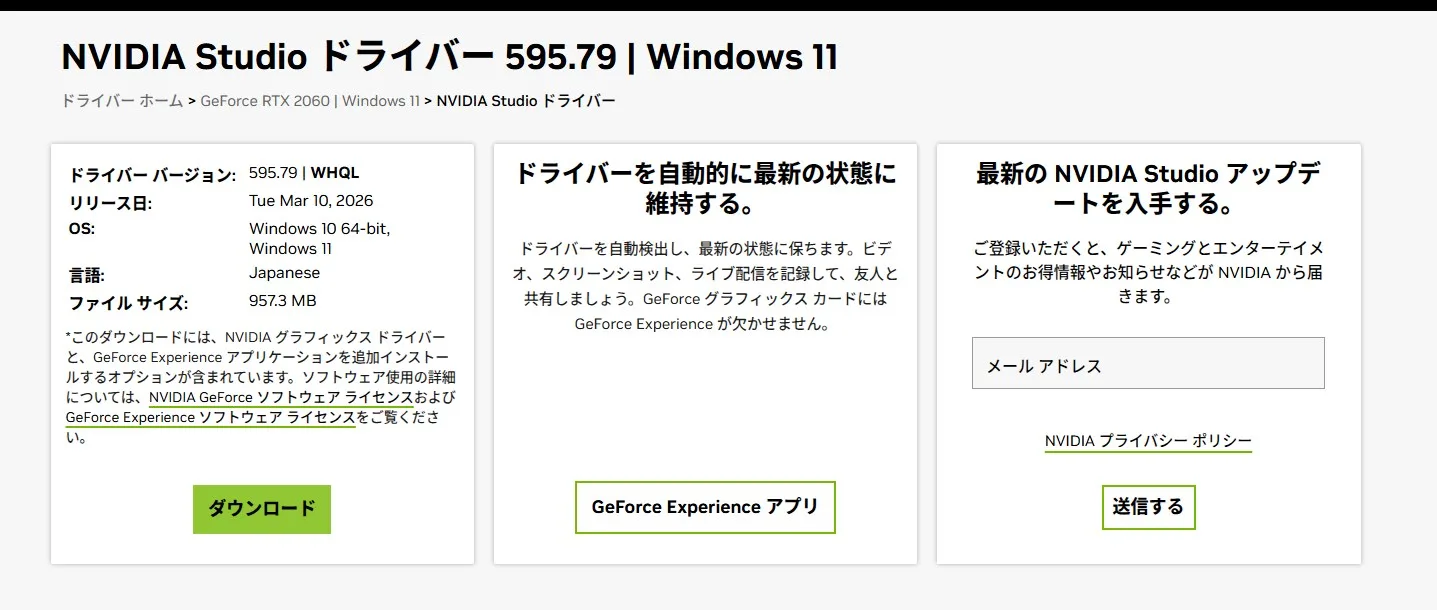
1Install the NVIDIA Studio driver
Download and install the NVIDIA Studio driver from the NVIDIA website.
https://www.nvidia.com/en-us/drivers/Some driver versions do not support GPU processing. Install the latest driver.
2Turn on "Use GPU" in the settings panel
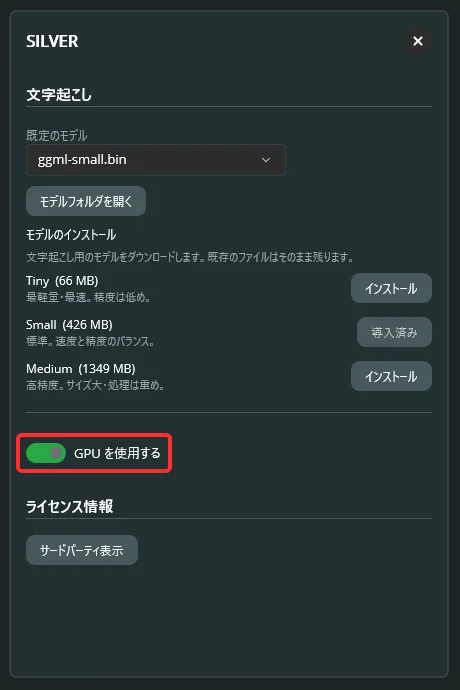
When it is off, transcription runs on the CPU.
GPU processing is recommended for ggml-medium.bin and larger models.
Running transcription
Run the RIGDOCKS APIs from a ReaScript.
See APIDOCK for the details of each API.
1Load the model with
AZ_TRSC_LoadModelaTo use the default model
Pass no arguments.
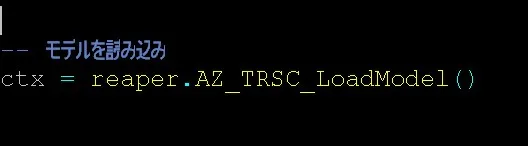
bTo use a model in the model folder
Pass only the file name in
modelPath.
cTo use a model outside the model folder
Pass the path of the file in
modelPath.
2Transcribe
aTo split the media by context
Use the
AZ_TRSC_Segments......APIs.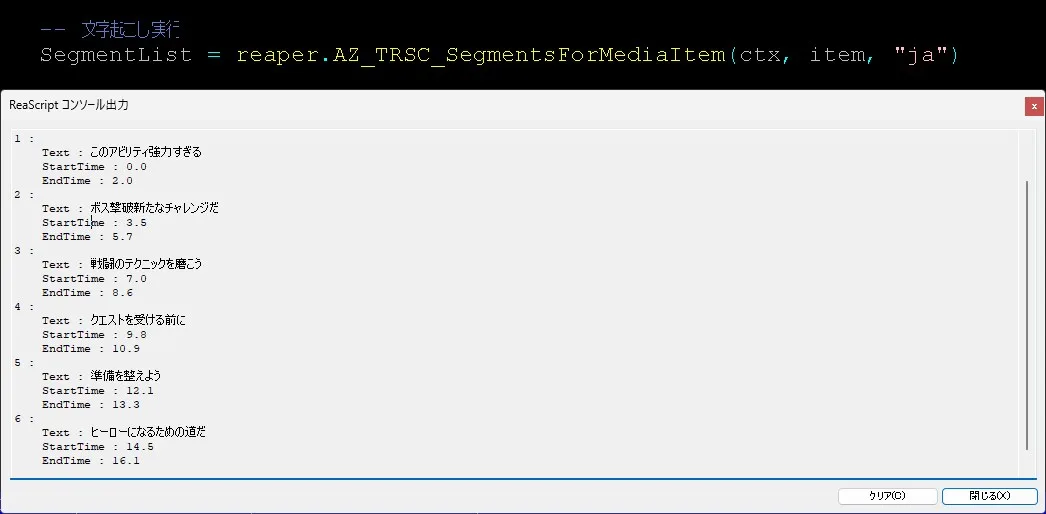
bTo transcribe the media as a whole
Use the
AZ_TRSC_Full......APIs.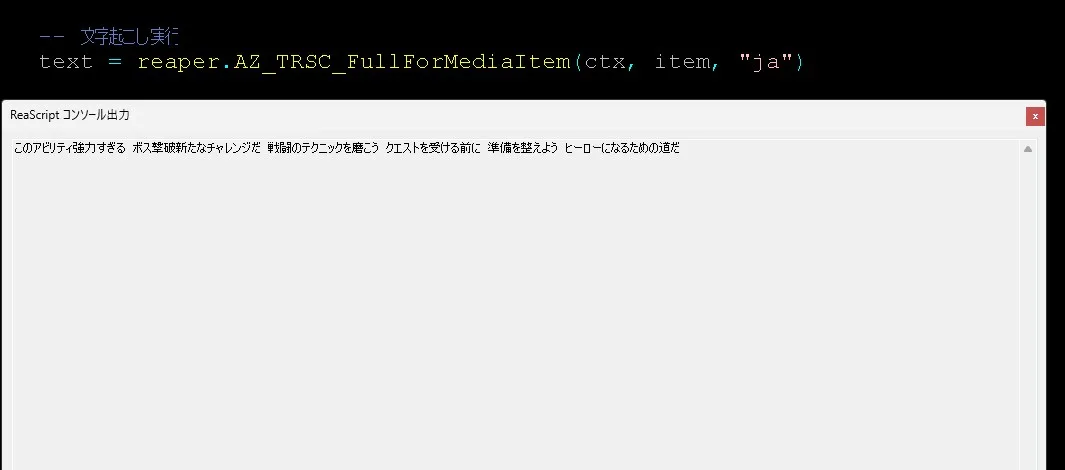
3Release the model with
AZ_TRSC_ReleaseModel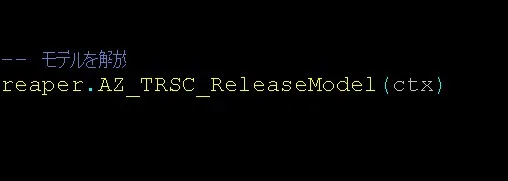
If you use SILVER 2.0.0 or earlier
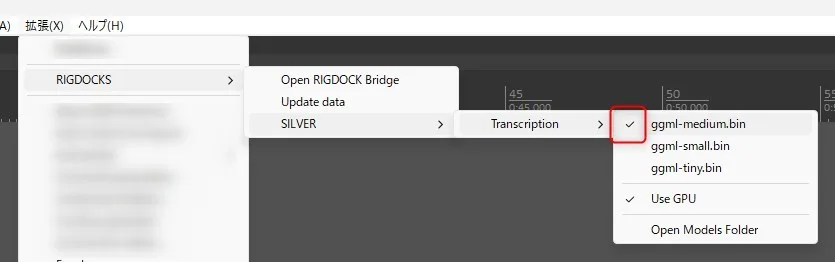
In SILVER 2.0.0 and earlier, the same settings are in Reaper's Extensions menu.