

RIGDOCKS GOLD
Preparing Google Sheets
Setup for working with Google Sheets from the RIGDOCKS APIs.
Enabling the API in Google Cloud Console
Here you set up your own account so that the RIGDOCKS APIs can work with your spreadsheets.
Google Cloud Console is the developer console provided by Google.
This setup is required to use the APIs.
You need your own Google account.
①Create a project in Google Cloud Console
1Open Google Cloud Console
2At the top, "Select a project" → "New project"
The "project" here is not your game or product title.
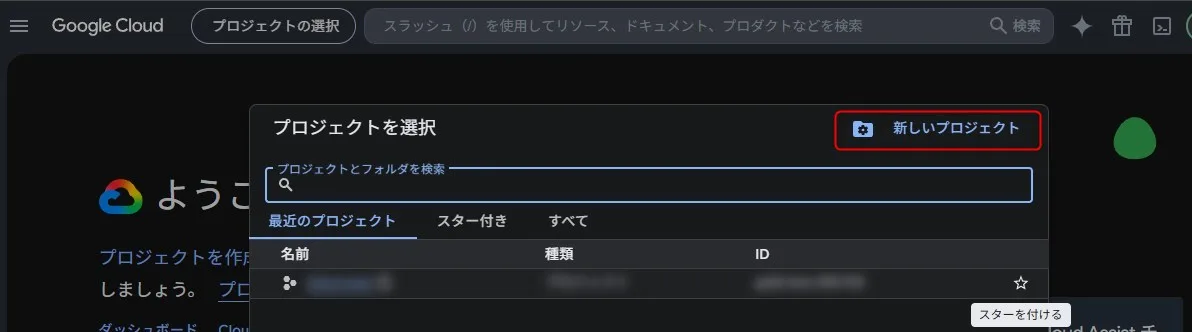
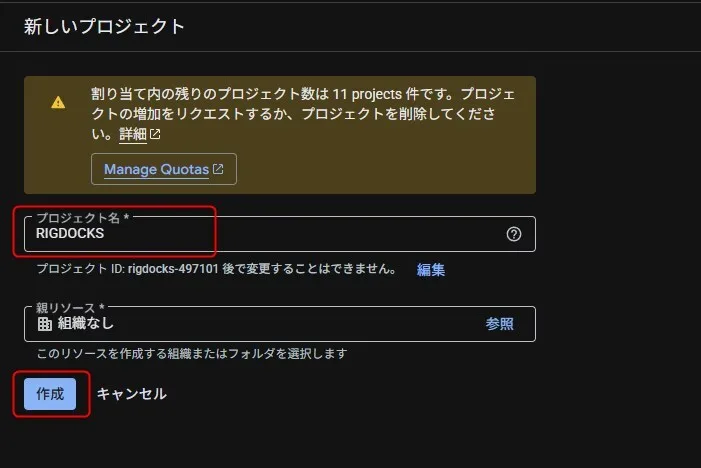
3Enter a project name and click "Create"
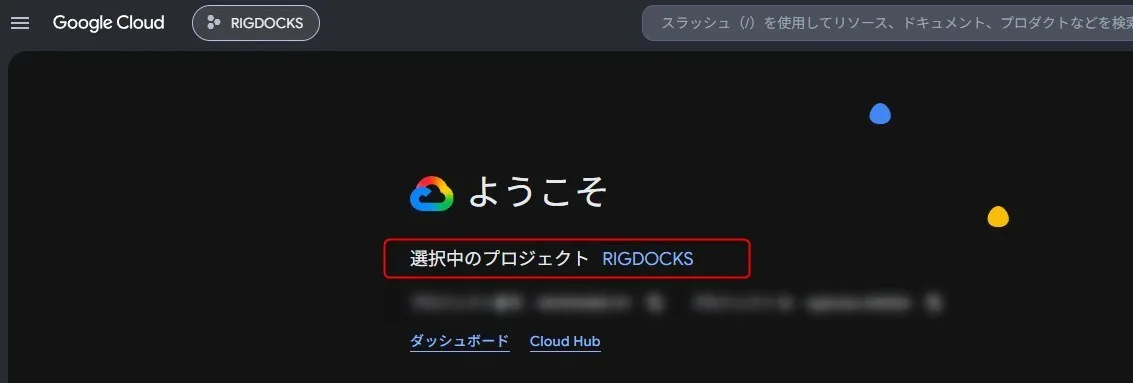
4Select the project you created
②Enable the Google Sheets API
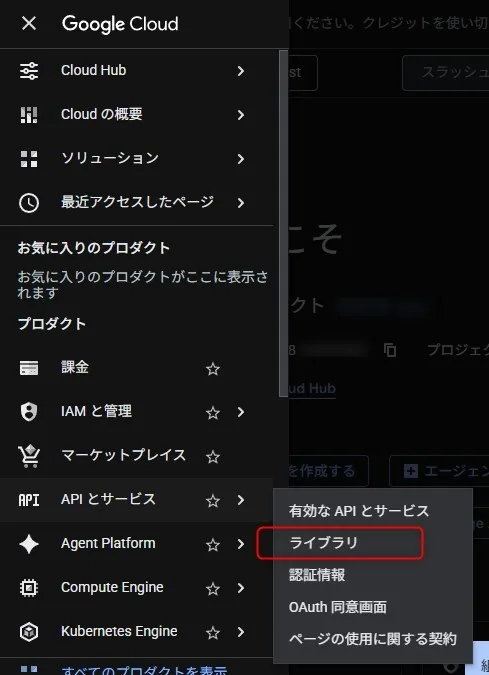
1Left menu: "APIs & Services" → "Library"
2Type Google Sheets API in the search box
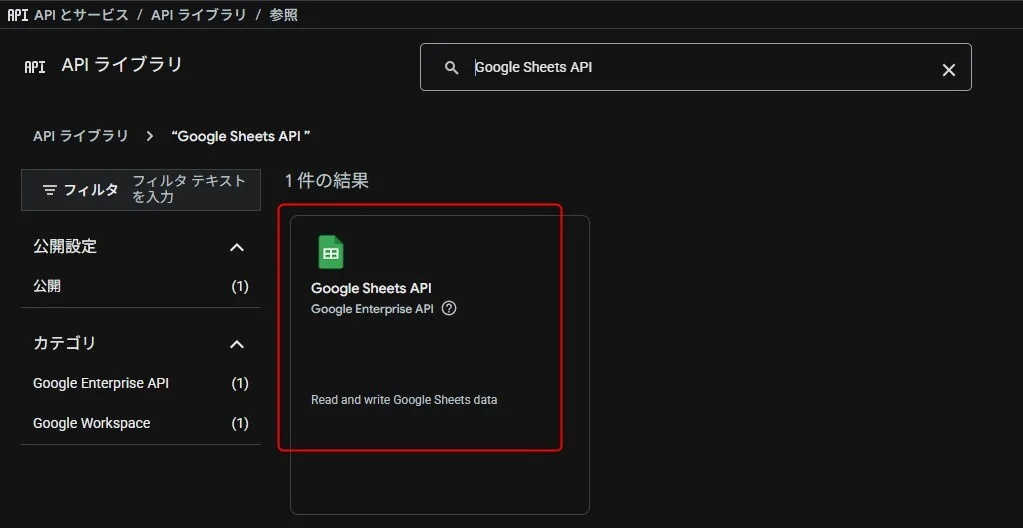
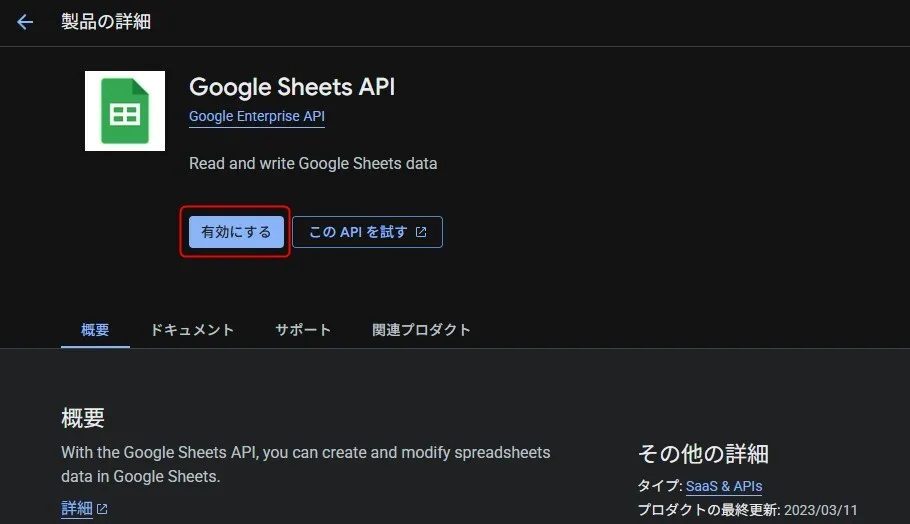
3Select "Google Sheets API" → "Enable"
③Configure the OAuth consent screen
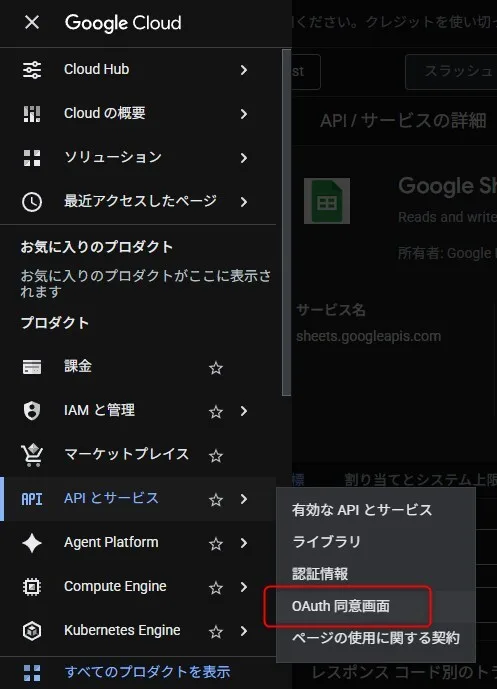
1Left menu: "APIs & Services" → "OAuth consent screen"
2On the "Overview" page, click "Get started"
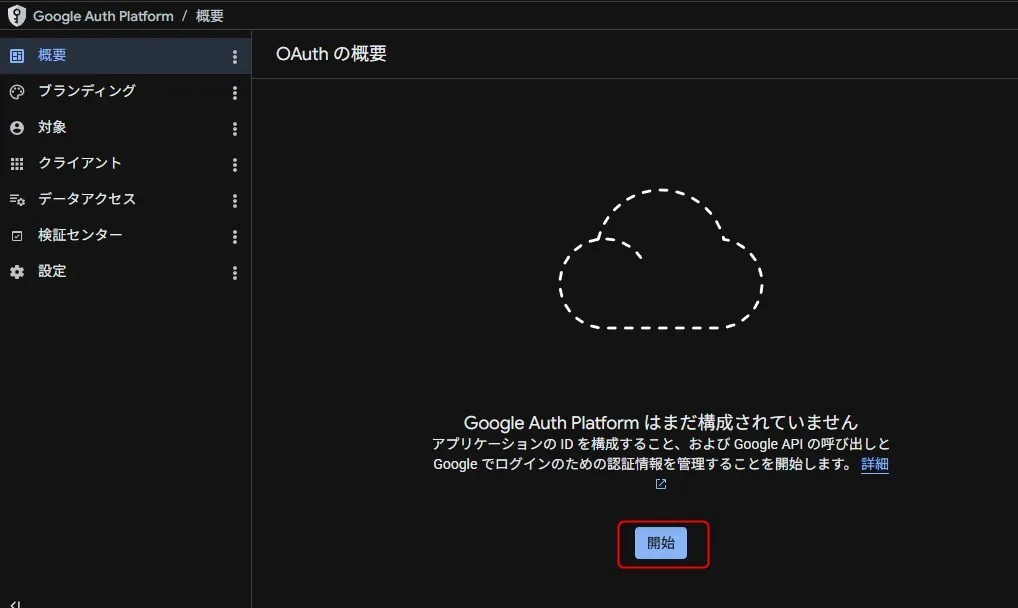
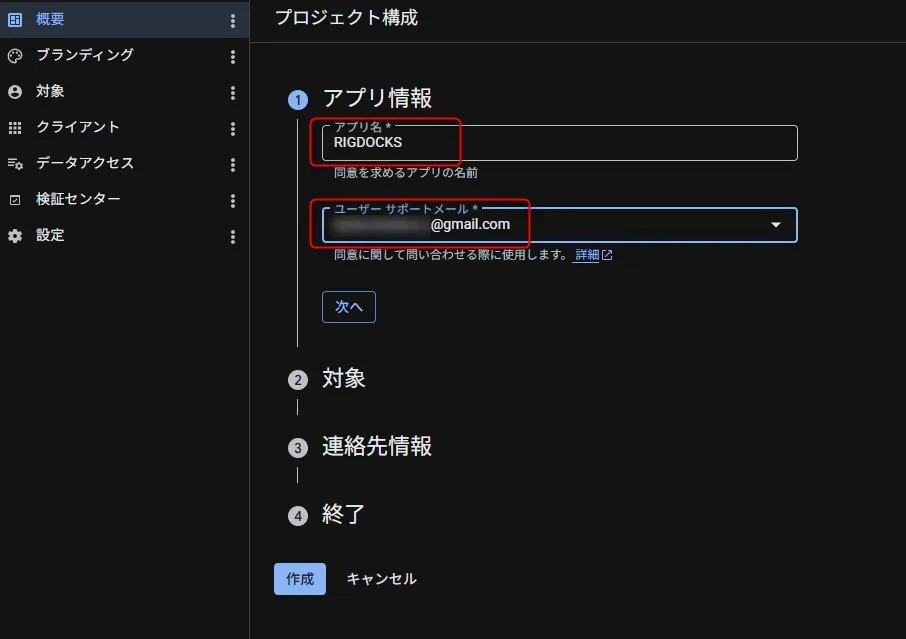
3In "Project configuration", enter the following
1: App name (for example RIGDOCKS) and user support email (your own address)
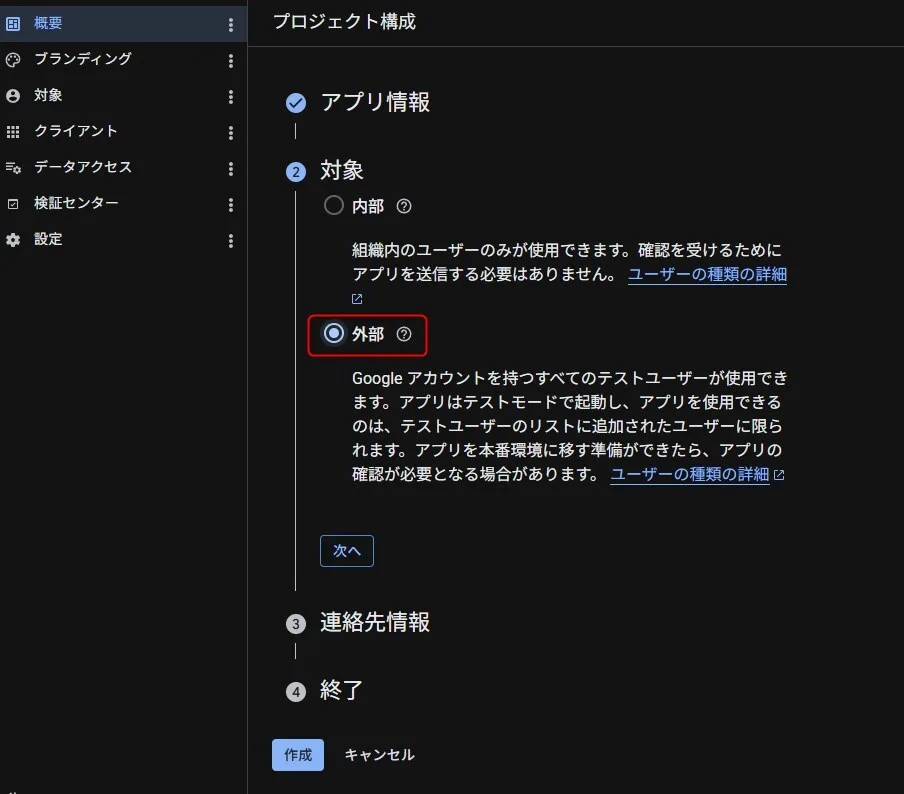
2: Select "External" for User Type
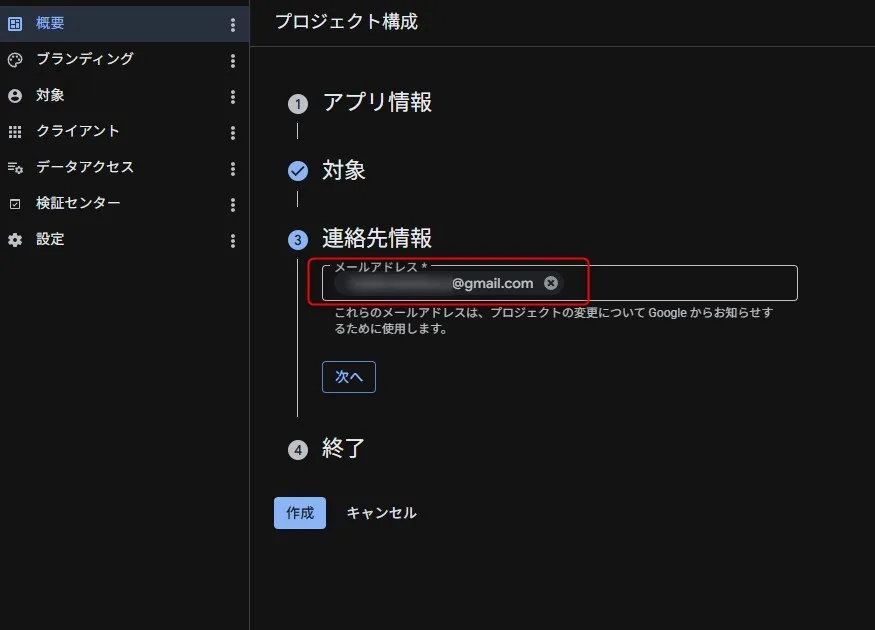
3: Contact information (your own address)
4: Agree to the Google API Services policy
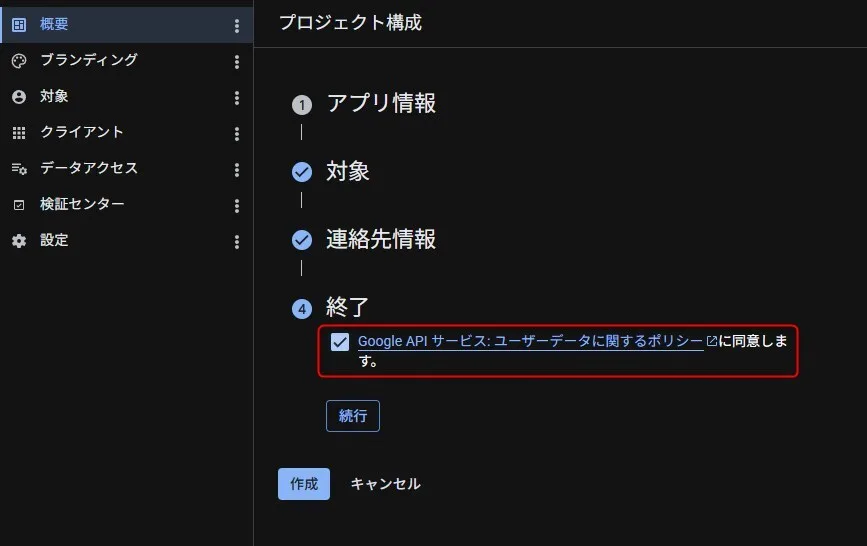
4Click "Create"
④Add yourself as a test user
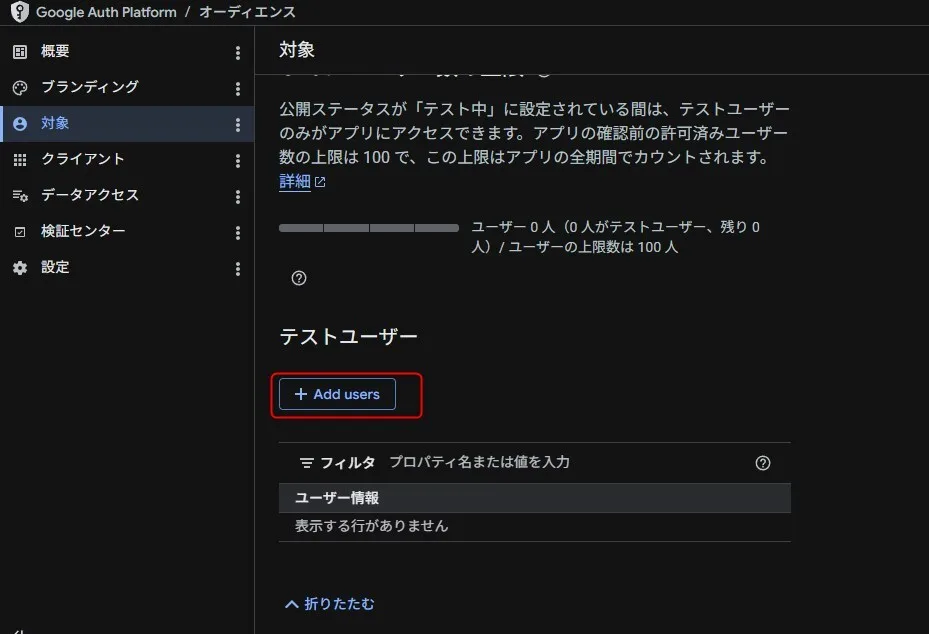
1Open the "Audience" page
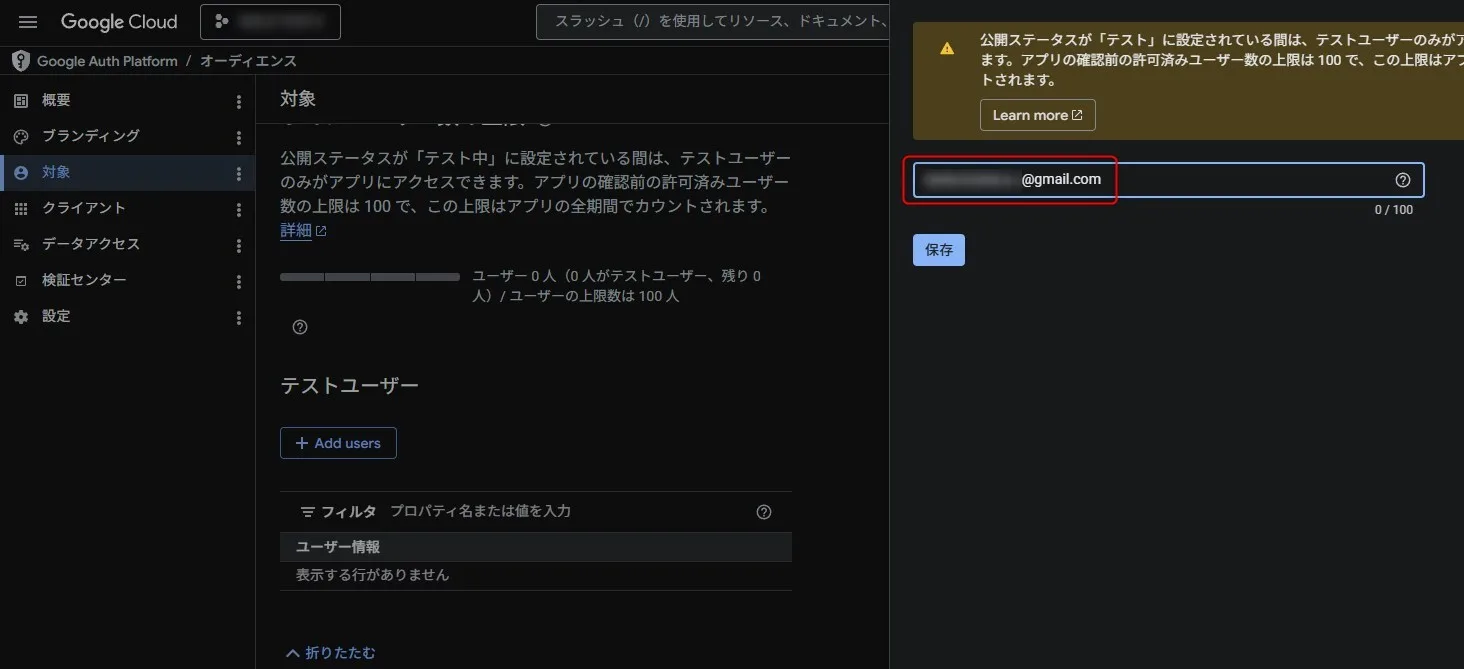
2Under test users, click "Add users"
3Enter the address of the Google account you will use with the spreadsheets and click "Save"
⑤Create an OAuth client
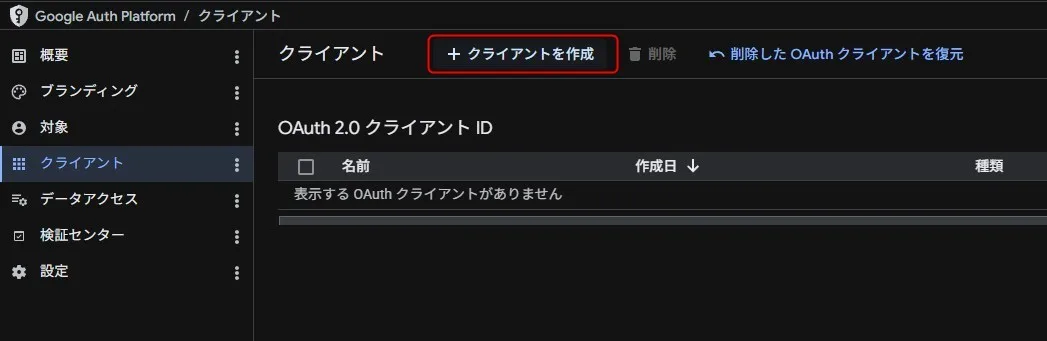
1Open the "Clients" page
2Click "Create client"
3Select "Desktop app" as the application type
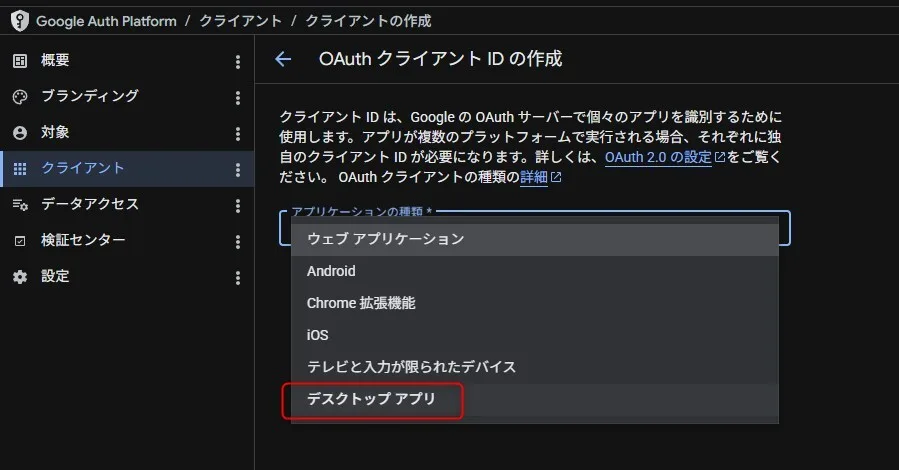
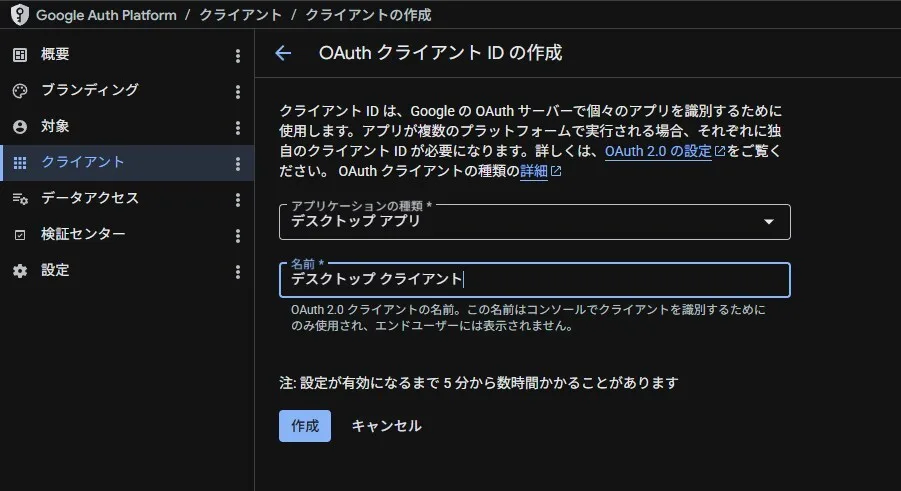
4Enter a name → "Create"
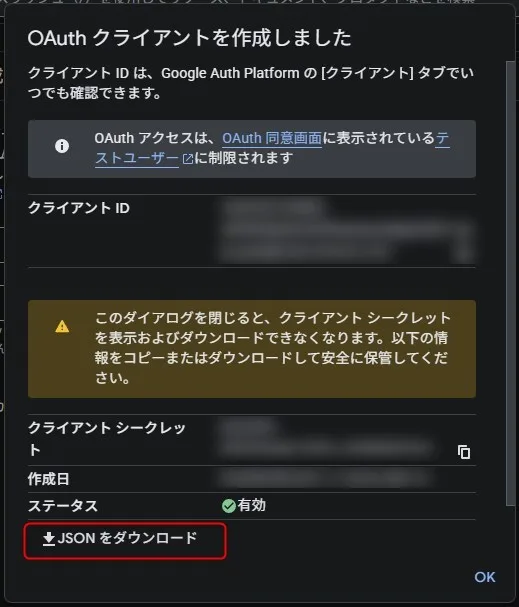
5Click "Download JSON"
You will load this file in the next step, so keep it in your Downloads folder (or anywhere you like).
Signing in from RIGDOCKS Bridge
Sign in to Google Sheets from the GOLD settings panel of RIGDOCKS Bridge.
1In RIGDOCKS Bridge, open "Plugins" > "Installed"
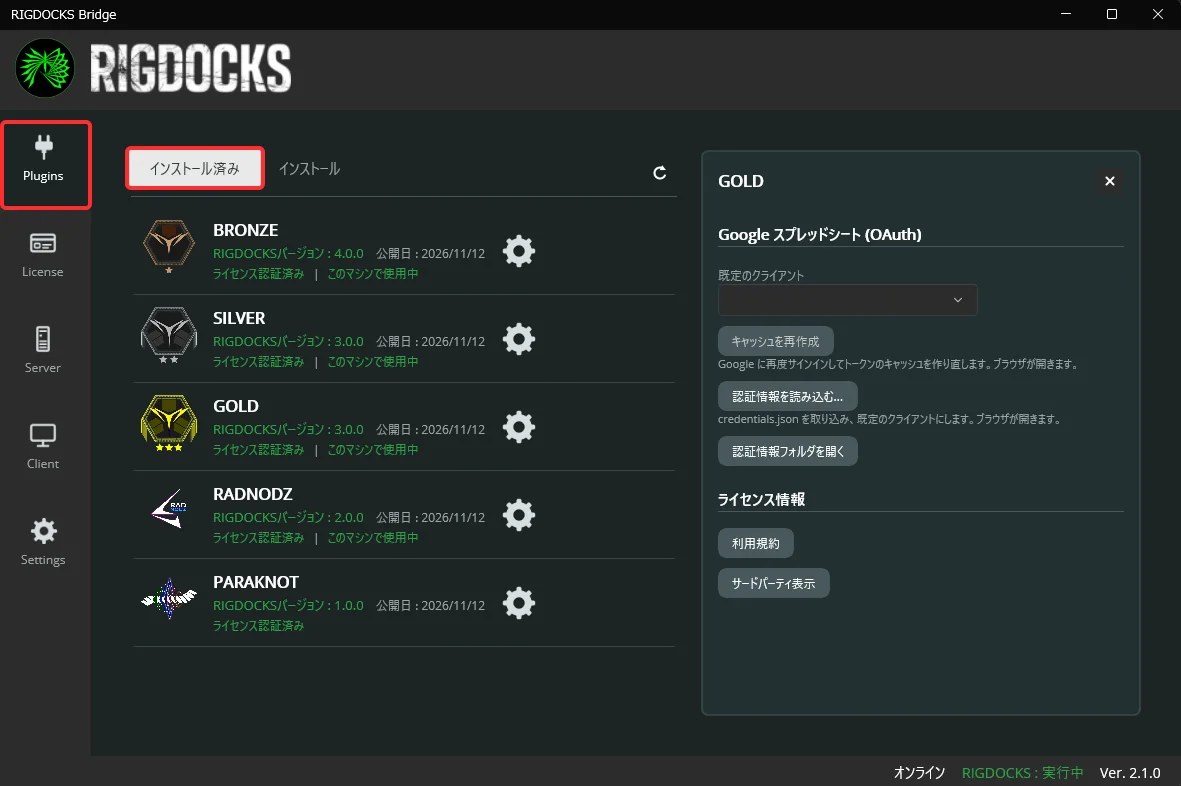
2Click the gear icon next to GOLD
The GOLD settings panel opens on the right.
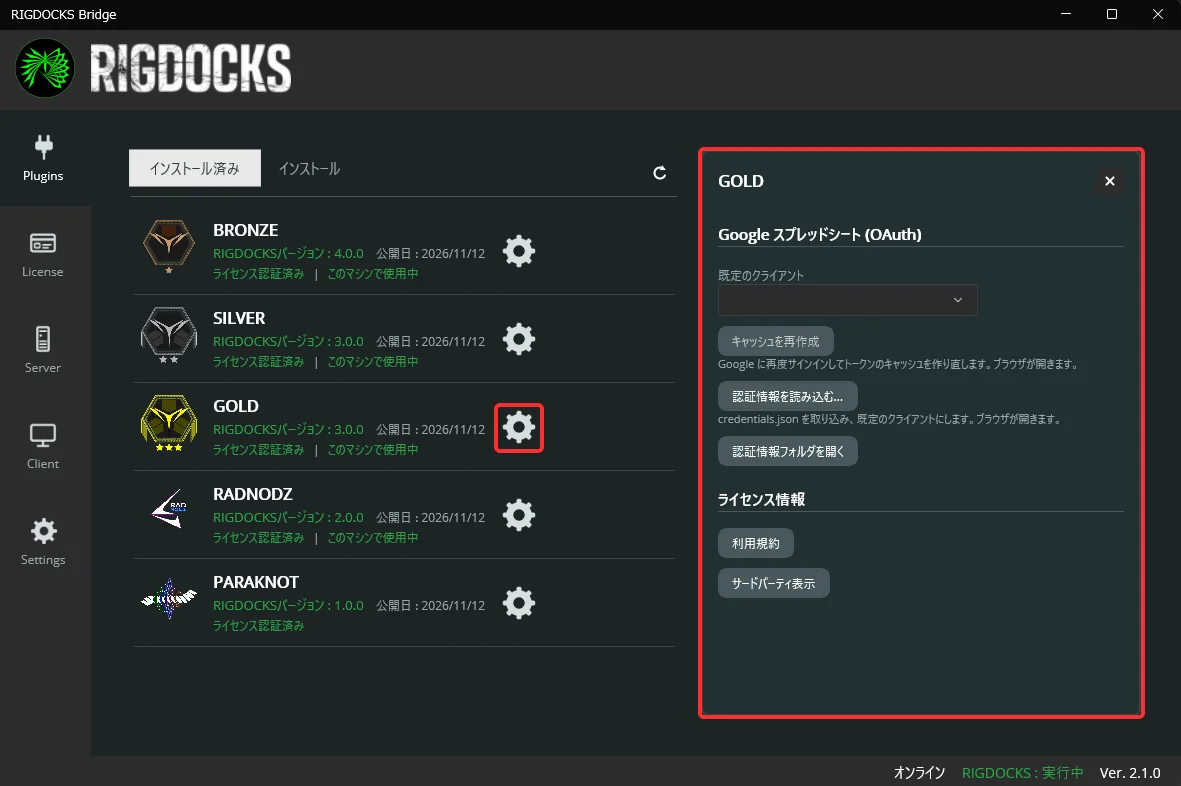
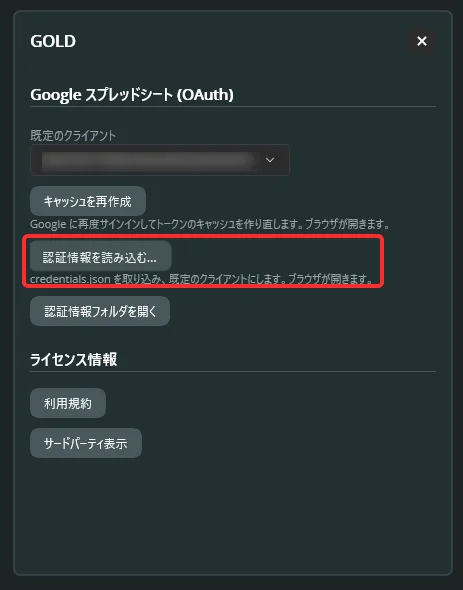
3Click "Load credentials..."
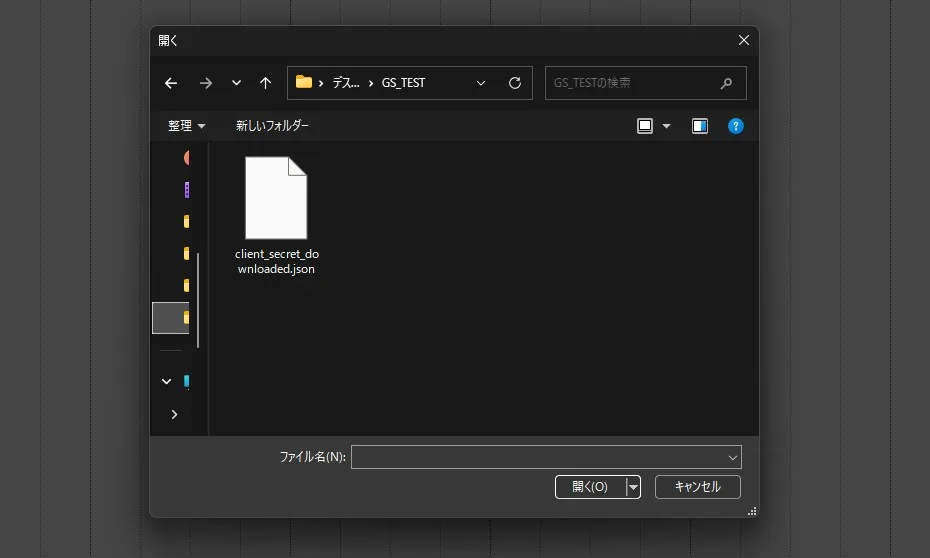
4Select the JSON file downloaded from Google Cloud Console
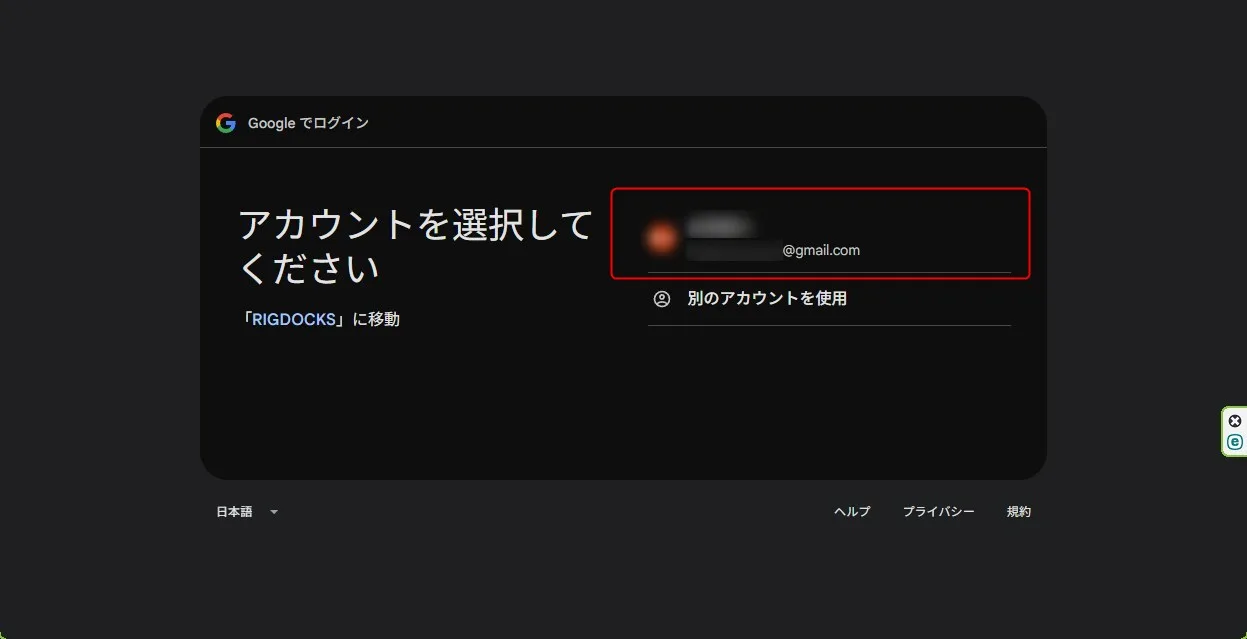
5A browser opens and asks you to sign in
6Select your account
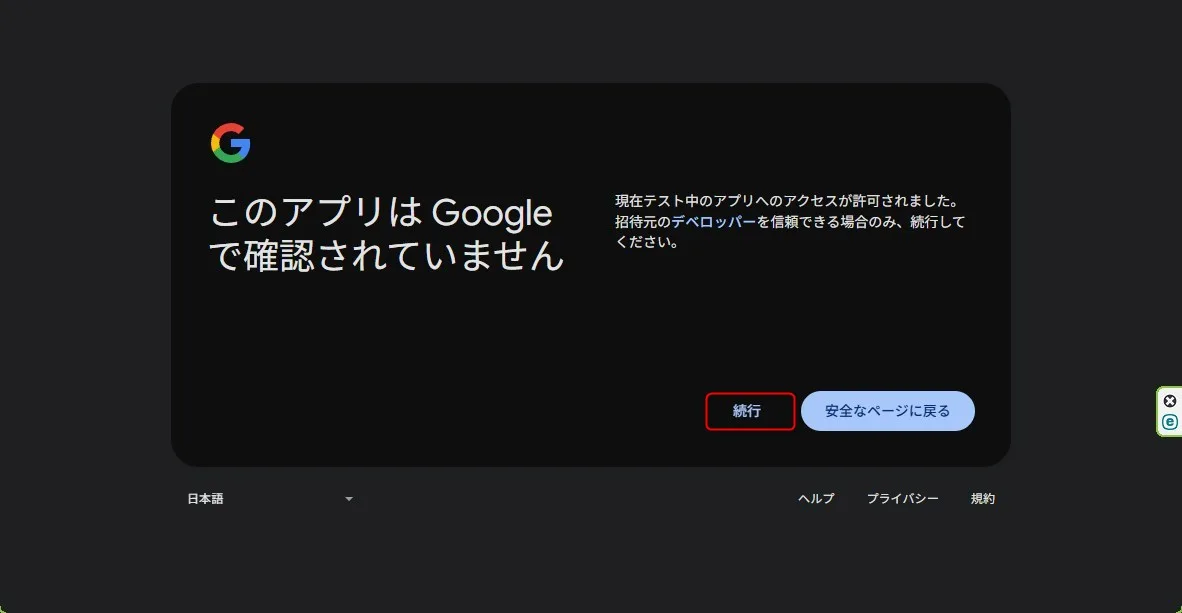
7Click "Continue"
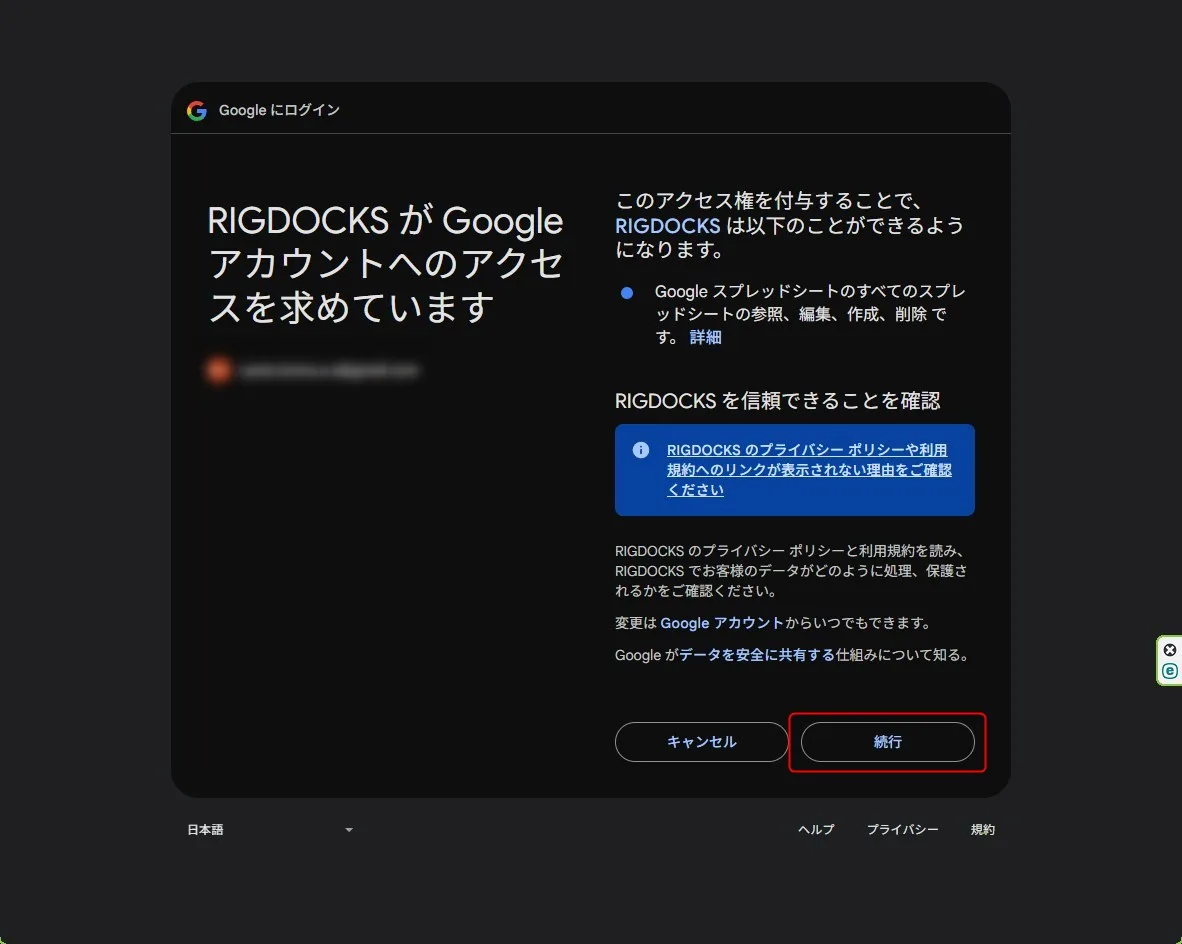
8Click "Continue"
9The authenticated OAuth client ID appears under "Default client"
The loaded credentials become the default client.
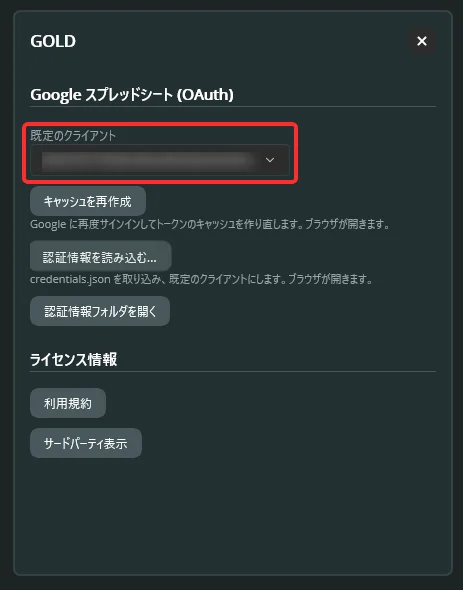
Once several clients are authenticated, you can switch the client to use here.
Run "Load credentials..." again with another JSON file to store several clients.
You can also switch by passing this ID as an argument to
AZ_GSheet_Connect_UserAccount.※Rebuilding the token cache
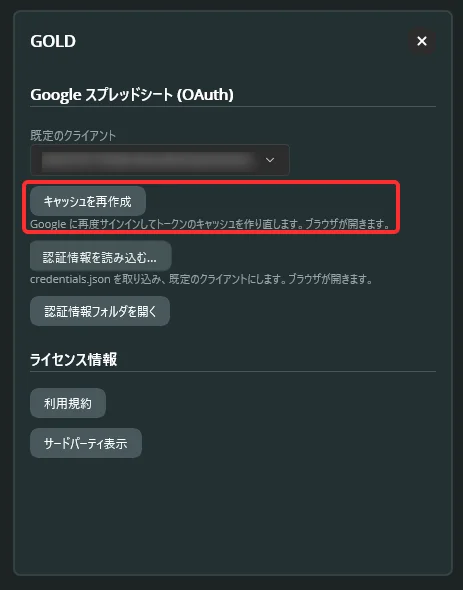
Click "Rebuild cache" to sign in to Google again and rebuild the token cache. A browser opens.
Q&A
QI want to use this as a team
AEven when working as a team, each user needs to enable the API in Google Cloud Console and sign in from RIGDOCKS Bridge. Follow the steps above.
QWhat are the spreadsheet ID and the sheet ID?
ATwo IDs identify a spreadsheet. Both can be read from the sheet URL.
- SpreadSheetID: the ID of the spreadsheet itself
- SheetID: the ID of a sheet inside the spreadsheet
https://docs.google.com/spreadsheets/d/[SpreadSheetID]/edit?gid=#gid=[SheetID]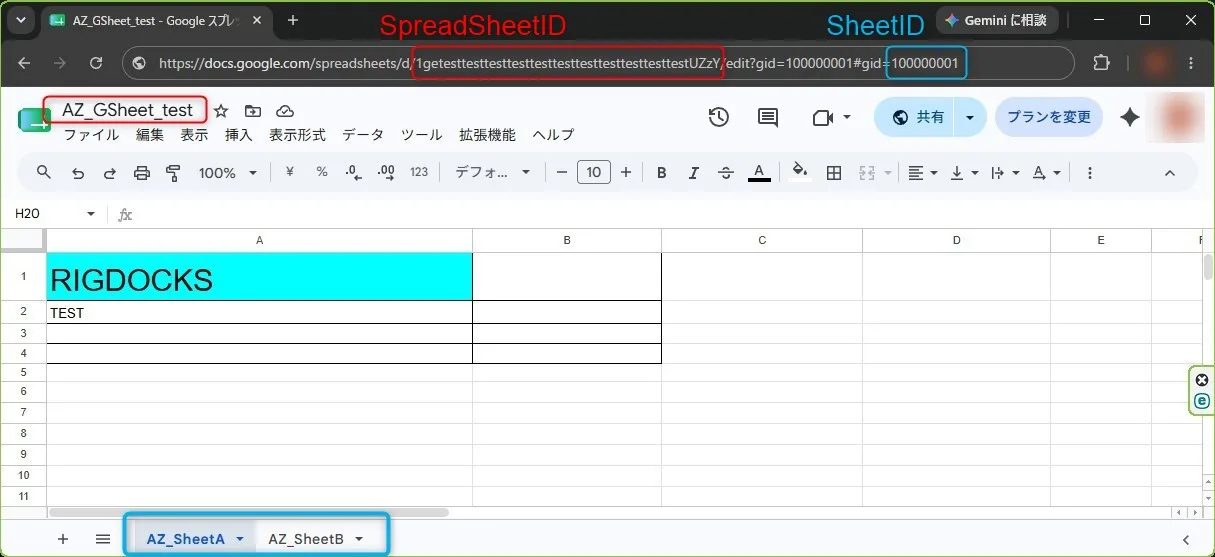
Check which ID each API takes as its argument.
QHow do I switch between accounts?
AAuthenticate with different OAuth clients (see Signing in from RIGDOCKS Bridge). Several OAuth clients then appear under "Default client" in the GOLD settings panel and you can switch between them.
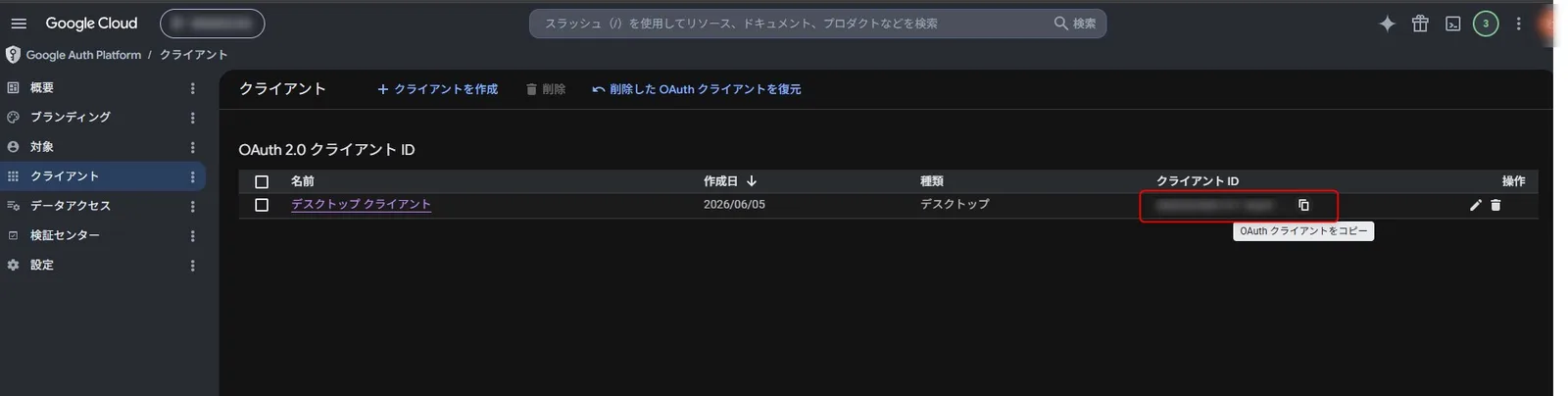
You can find the OAuth client ID in the "Clients" menu of Google Cloud Console.
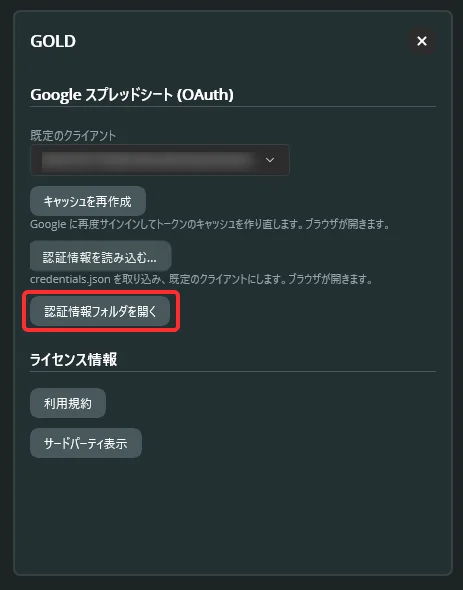
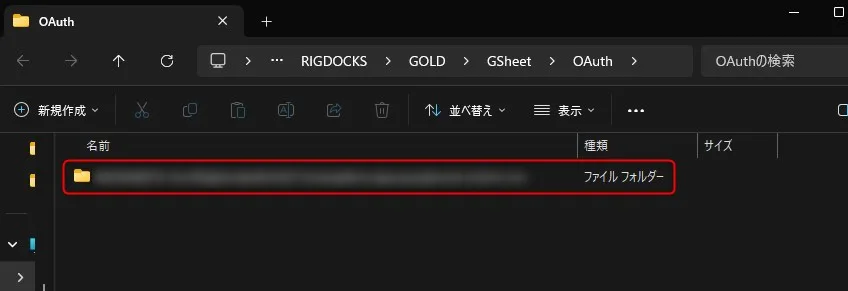
Alternatively, the folder names in the folder opened by "Open credentials folder" in the GOLD settings panel are the OAuth client IDs.
QHow do I get edit access to a spreadsheet?
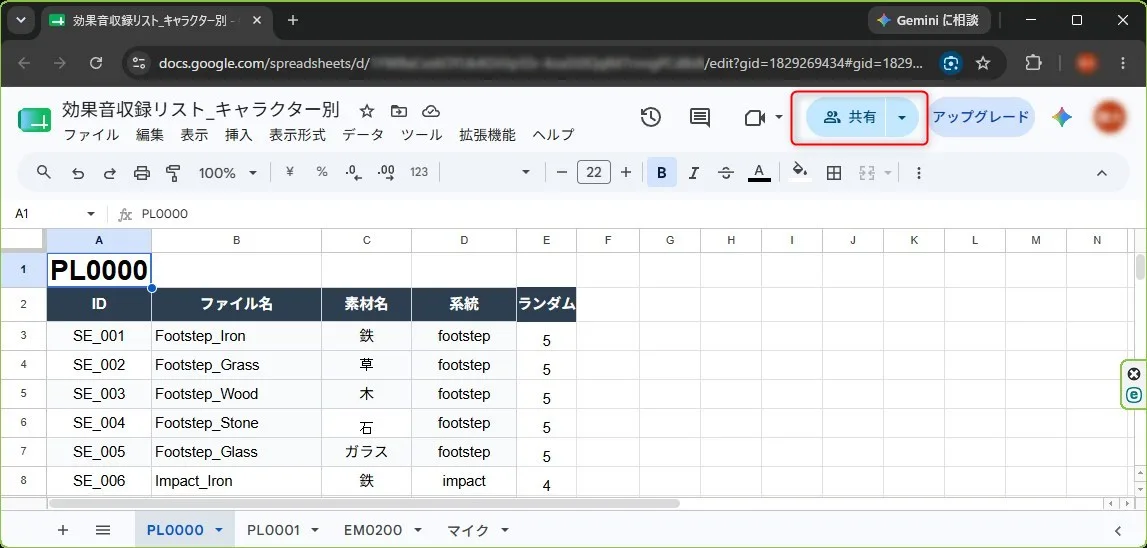
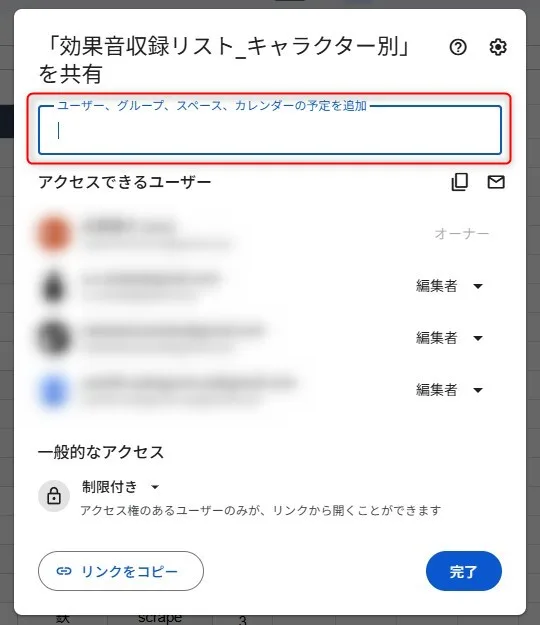
ATo work with a spreadsheet through these APIs, the Google account you use must have edit access to that sheet.
1: Open the spreadsheet and click "Share".
2: Enter the address of the account to grant access to.
3: Select "Editor".
The APIs cannot work with the sheet under "Viewer" access.
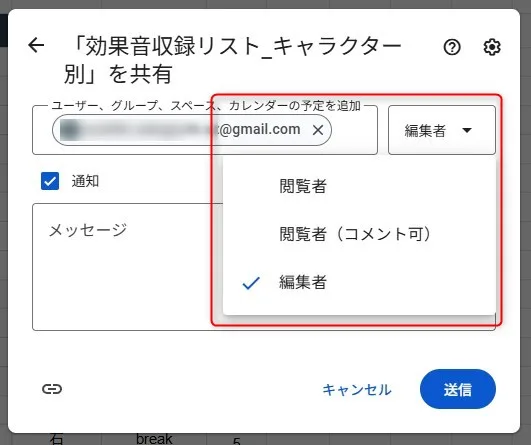
4: Click "Send" to grant access.
QWhere are the details of each API?
ASee APIDOCK for the details of each API.
If you use GOLD 2.0.0 or earlier
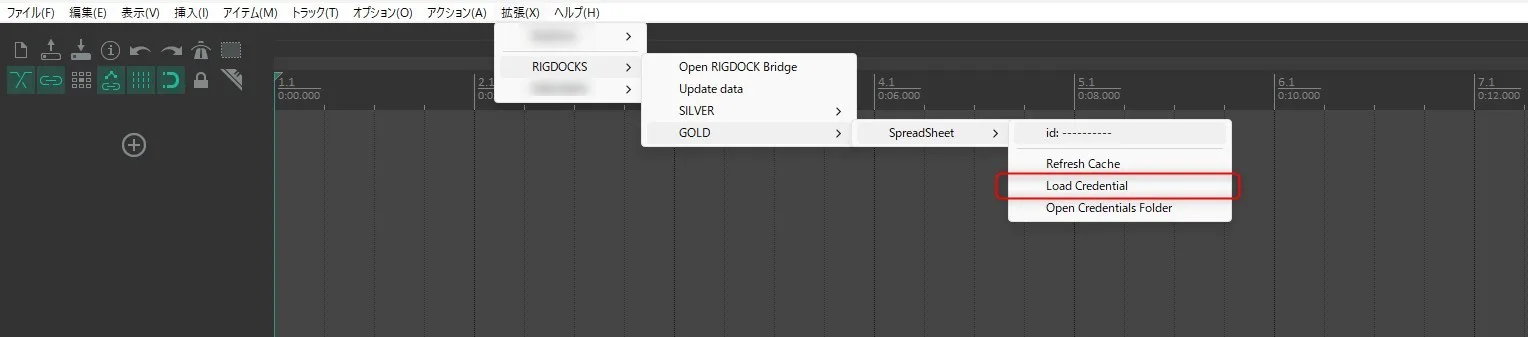
In GOLD 2.0.0 and earlier, the same settings are in Reaper's Extensions menu (Extensions > RIGDOCKS > GOLD > SpreadSheet).
| RIGDOCKS Bridge | Reaper Extensions menu |
|---|---|
| "Default client" | Items starting with id: (the checked one is in use) |
| "Rebuild cache" | Refresh Cache |
| "Load credentials..." | Load Credential |
| "Open credentials folder" | Open Credentials Folder |