



RIGDRED
Remote Recording Application
*Currently under development
Remote recording control "RIGDRED"
- RIGDRED is a recording control app that works in conjunction with REAPER (DAW).
- Connect to REAPER via IP connection or same-LAN scan and control track addition, arming, solo/mute, and recording/playback with a single touch. It also supports per-microphone input channel management, input level metering, loudness (LUFS) measurement, and automatic volume adjustment. Recorded audio can be viewed in stereo/surround/binaural from other devices such as smartphones with the app installed, and internal calls allow for communication between on-site staff.
- The recording list can be imported, checked, and exported in Excel/CSV format, and the results can be shared to Slack. Furthermore, with its read/write and search integration with Excel and Google Sheets, it's an all-in-one tool for on-site use that allows you to manage external data all within a single app.

Connect to REAPER and record from your device
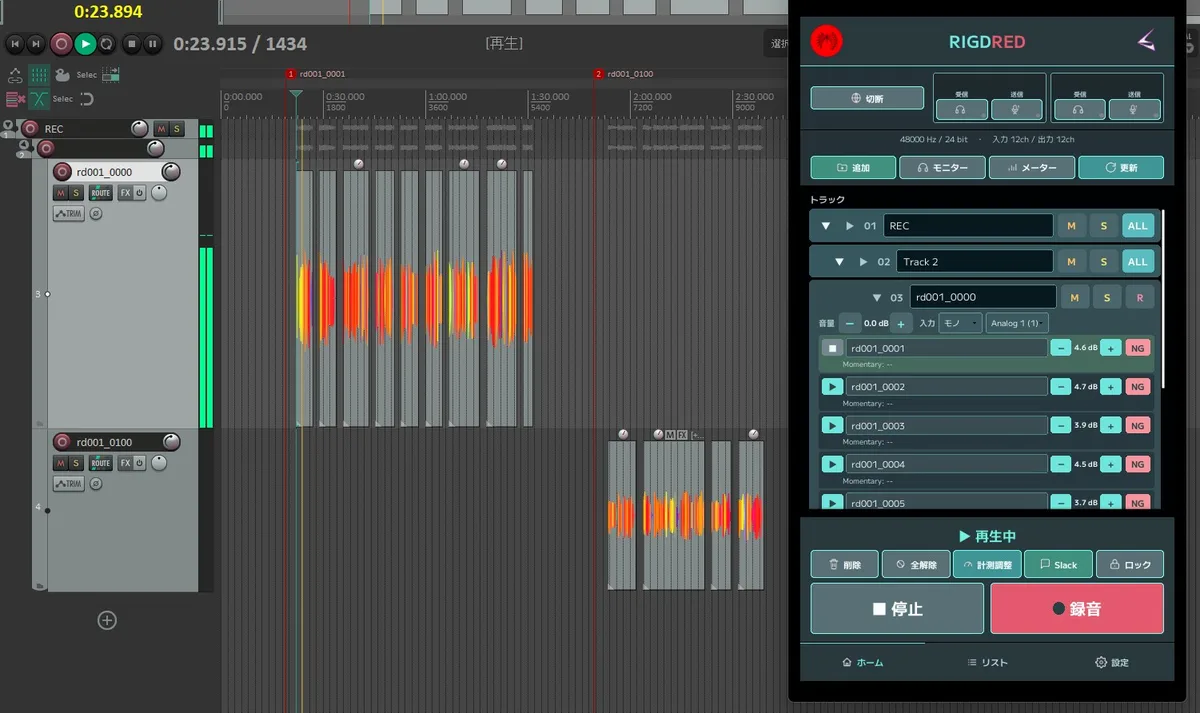
- Connection: You can connect by directly entering the IP address/port, or by using the "Search for REAPER on the same network" button to automatically scan and connect.
- Track operation: After connecting, the track list is retrieved and the folder hierarchy display is supported. Control arming, soloing, muting, renaming, and deleting from the track card.
- Add a new track, or add all registered microphones at once using the format "Material Name_Microphone Name".
- Recording/Playback: Press the REC button to start recording (applies to armed tracks), press PLAY to play back. A red frame and recording dot will appear on the screen while recording is in progress.
- Input Management: Register and save the name and number of input channels for each microphone. The input level is displayed as either a "signal indicator (○)" or a "full meter," and the update interval can also be set.
- Post-recording processing: List, play, rename, mute, and adjust the volume of recorded media (takes), measure loudness (LUFS) and automatically normalize to the target value.
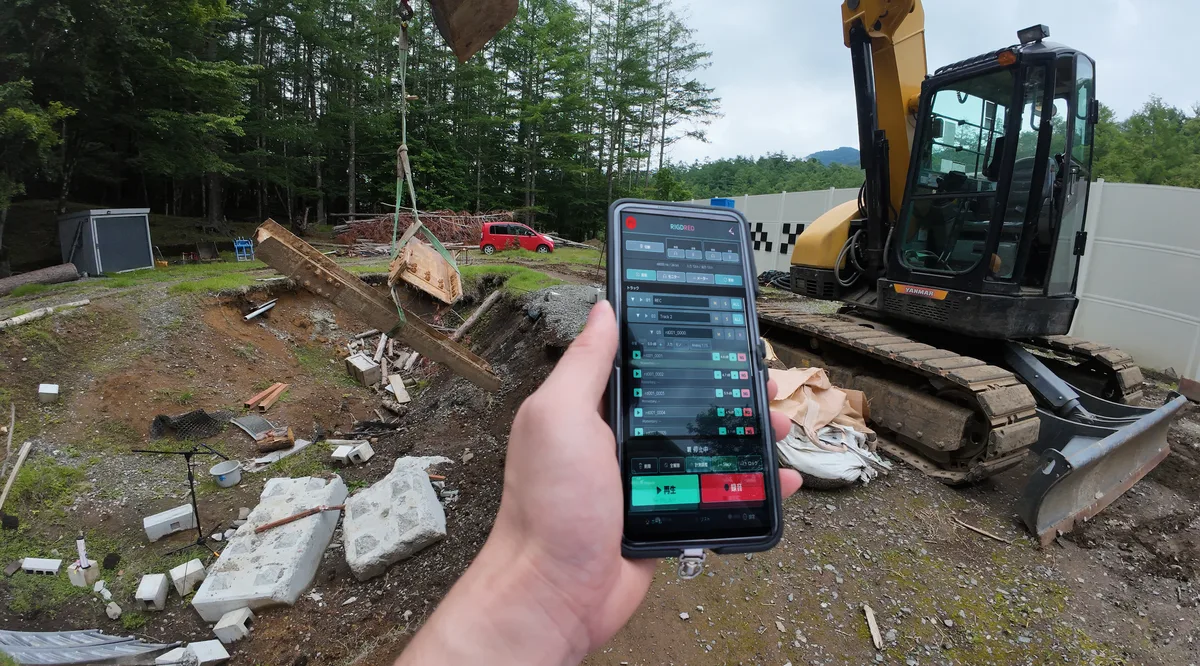
Viewable on your device
- The audio from the REAPER is sent via ReaStream, and RIGDRED receives and plays it back. PC side: Windows/Mac compatible. Device: Android compatible.
- Output formats can be selected from "Stereo," "Binaural (3D audio)," and "Original (5.1/7.1 Surround)."
- The receive buffer (latency) can be selected from "Low Latency/Standard/Stable" and adjusted according to the network conditions.
- In binaural mode, custom editing of HRTF profile selection, ITD/shadow intensity, and channel placement (angle/distance) is supported.
- The internal call (two-way) function allows on-site staff to communicate with each other via IP or by specifying names in the on-site staff list.
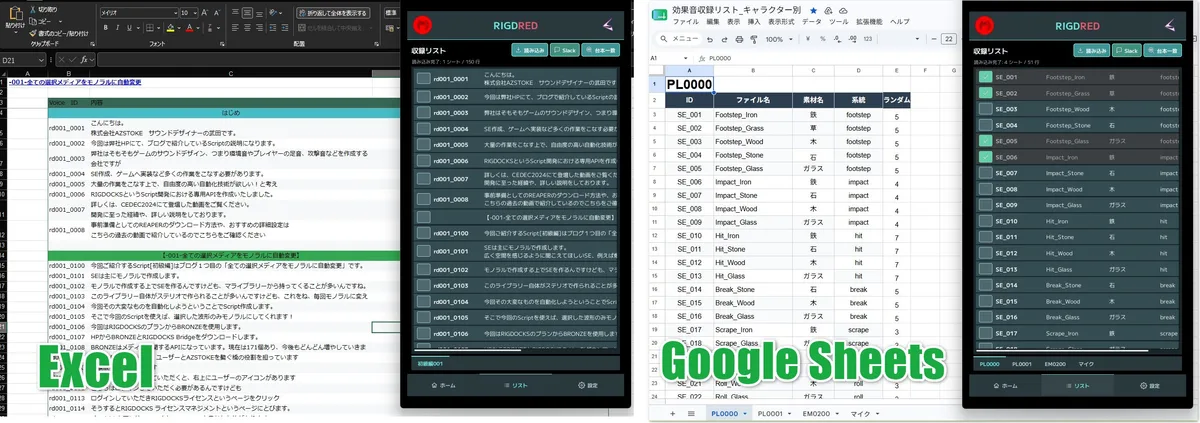
Import recording lists in Excel and share recording status via Slack
- Slack: Share recording list results, track waveform names, and loudness values with a single click. Supports sending messages to channels, sending direct messages (DMs), and replying to threads.
- Excel: You can import the sheet and view the recording list from your device.
Customize to your liking with various settings
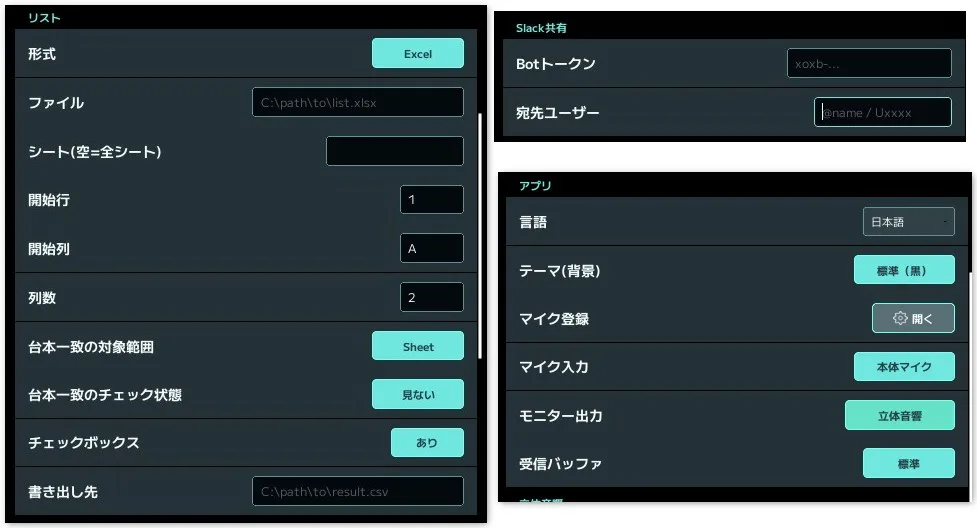
- Microphone settings: Register the name and number of input channels in the microphone registration dialog.
- Monitor output settings: Set the output method (stereo/binaural/unmodified), receive buffer, and downmix coefficient. You can choose to listen from your device or through Bluetooth-connected earphones.
- List settings: Import recording lists and check progress from your device. Specify the format of the list to be included (Excel/CSV/Google Sheets), file path, sheet name, starting row and column, number of columns, whether to display checkboxes, and the destination path for the export.
- Loudness/Meter Settings: Set target LUFS value, meter update interval, and display mode.
- Other settings: Screen theme (brightness) and language can also be changed from the settings screen.